
Setting up a SmartRoutes account takes less than a minute and gives you full access to route planning, dispatch, and driver tracking.
Every new account starts as a free trial, with no payment details required upfront.
This guide walks through the sign-up form, what happens right after you sign up, and how to upgrade when you're ready to move to a paid plan.
Start your free trial
You can start a trial in one of two ways:
- Go directly to smartroutes.io/sign-up
- From any page on the SmartRoutes website, click Start Free Trial in the top right corner
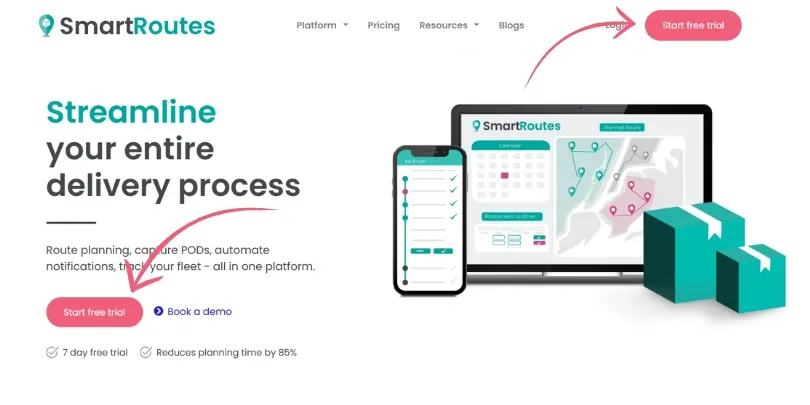
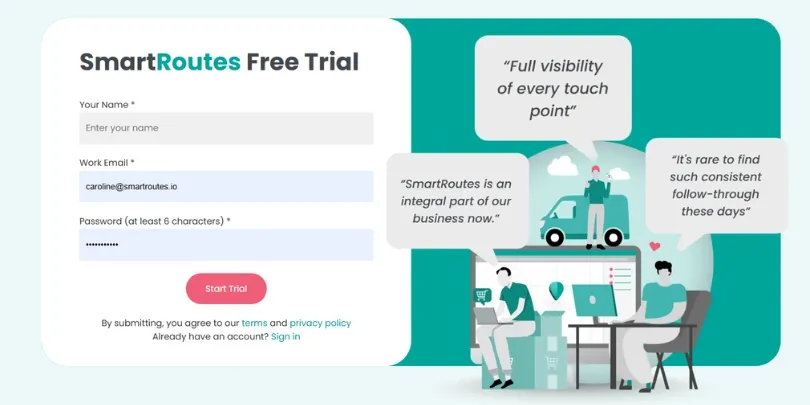
On the sign-up form, you'll be asked for:
- Your name
- Work email
- Password (minimum 6 characters)
Click Start Trial once your details are entered. There's no credit card required, and no need to cancel anything before your trial period ends.
What happens after you sign up
As soon as you submit the form, your account is created and you're taken straight into the SmartRoutes platform. There's no waiting period and no email verification step blocking access.
From here, you can start exploring the platform right away:
- Add your drivers and vehicles
- Upload your first set of delivery stops
- Plan and optimize your first route

Upgrading to a paid plan
You can upgrade at any point during or after your trial. There's no requirement to upgrade before the trial ends, and no automatic charge if you don't.
How to upgrade:
- Click the upgrade banner at the top of your account.
- Choose the subscription that fits your needs.
- Enter your billing details to complete the upgrade.
Subscriptions are available on monthly or annual billing, and pricing scales with the number of vehicles and features you need. For a full breakdown of what's included at each level, see the pricing page.
Already outsource your deliveries?
If you don't run your own fleet, you can still use SmartRoutes to plan and manage routes for outsourced drivers or couriers. See I outsource my deliveries, can I still use SmartRoutes? for details.
Didn’t answer your question?
You can see our other guides here or contact support at support@smartroutes.io.
Please provide us with some additional feedback
Thanks for your feedback. It is greatly appreciated