
Quick Summary
- 12 delivery management platforms compared side-by-side on route optimization, pricing transparency, driver app usability, and integration depth.
- Route optimization and smart scheduling can cut distance and fuel costs by roughly 10–30%, while keeping promised time windows realistic.
- Real-time tracking, automated notifications, and proof of delivery reduce missed deliveries, support tickets, and disputes over completed orders.
- Pricing models vary widely: per-driver, per-stop, flat monthly, and quote-only, so starting prices alone don't tell the full cost story at scale.
- Reporting and analytics turn delivery data into action, showing which routes, drivers, or regions drive the most cost, delays, or failed first-attempt deliveries.
Missed or failed deliveries are expensive: each one can cost a business around $18 once you factor in reattempts, handling, and customer support.
Delivery management software is how teams keep those costs under control while maintaining on-time delivery rates and customer satisfaction.
This guide compares the leading platforms in 2026, looking at route optimization accuracy, pricing transparency, driver app usability, real-time tracking, and integration depth, so you can see how each one performs in real-world delivery operations.
By the end, you'll know which is the best delivery management software for your business based on your fleet size, delivery volumes, and integration needs.
What is Delivery Management Software?
Delivery management software is a platform that helps businesses plan routes, assign deliveries to drivers, track vehicles in real time, and keep customers informed from dispatch through to proof of delivery.
Instead of juggling spreadsheets, maps, messaging apps, and a separate GPS tool, everything sits in one system that shows where each order is, who is delivering it, and whether it was completed successfully.
This makes it a better fit for teams handling multiple drivers, growing delivery volumes, or customers who expect accurate ETAs and proof of delivery on every order.
| Software | Best For | Starting Price | Rating |
|---|---|---|---|
| SmartRoutes | All-in-one delivery management for SMBs | From €29/mo (unlimited drivers) | Capterra: 4.8/5 |
| Route4Me | Complex multi-stop route planning | Custom quote | Capterra: 4.5/5 |
| Tookan | Small and growing delivery teams | From $129/mo | Capterra: 4.1/5 |
| OptimoRoute | Analytics-driven delivery operations | From $39/driver/mo | Capterra: 4.6/5 |
| Onfleet | High-volume last mile operations | From $599/mo | Capterra: 4.6/5 |
| Routific | Small to medium delivery teams | Free up to 200 orders; paid from $150/mo | Capterra: 4.9/5 |
| Spoke | Fast setup with time window delivery | From $125/mo (1,000 stops) | Capterra: 4.8/5 |
| Stream (Go2Stream) | Multi-depot and complex logistics | From $259/mo (3 vehicles) | Capterra: 4.5/5 |
| Scurri | Enterprise and scaling eCommerce retailers | Custom quote | Capterra: 4.7/5 |
| Shipday | Restaurants and local food delivery | Free up to 300 orders/mo; paid from $29/mo | Capterra: 4.7/5 |
| DispatchTrack | Appointment-based and high-value deliveries | Custom quote | Capterra: 4.5/5 |
| Onro | Courier companies and on-demand delivery | From $239/mo (1,500 deliveries) | Capterra: 5.0/5 |
How We Evaluated These Platforms
There is no single “best” delivery management platform for every business. The right choice depends on how you plan routes, manage drivers, communicate with customers, and handle the inevitable changes that happen throughout a delivery day.
For this guide, we included platforms that offer route planning or dispatch alongside practical delivery-management tools such as driver tracking, customer notifications, proof of delivery, or reporting. We reviewed each provider’s current product information, pricing and trial details where available, integrations, and verified third-party reviews.
We compared each platform based on:
- Route planning and flexibility: How well it handles stops, time windows, capacities, driver availability, and last-minute changes.
- Driver experience: How easy the driver app is to use for navigation, route updates, delivery status changes, and proof of delivery.
- Customer updates and delivery proof: Whether customers can receive useful tracking and notifications, and how well the platform records photos, signatures, notes, and delivery outcomes.
- Integrations: How easily it connects with the systems delivery teams already use, including eCommerce, POS, CRM, WMS, and order-management platforms.
- Pricing and support: Whether pricing is clear, how costs can increase as you grow, and what support is available when your team needs help.
We use verified Capterra reviews as one reference point, but ratings alone do not tell the full story. Features, pricing, trials, and plan limits can change, so always confirm the final scope directly with the provider before making a decision.
Which Delivery Management Software is Right for your Business?
| If your main challenge is… | Start by comparing | What to test in a trial or demo |
|---|---|---|
| Planned multi-stop routes with time windows, recurring customers, and capacity rules | SmartRoutes, Route4Me, OptimoRoute, Routific | Can the platform respect time windows, service times, driver hours, capacities, territories, recurring work, and late additions without excessive manual edits? |
| Same-day, on-demand, or courier dispatch | Tookan, Onro, Shipday, Onfleet | Can dispatchers add, reassign, cancel, and monitor jobs during the day while keeping drivers and customers up to date? |
| Proof-heavy, high-value, or appointment-based deliveries | DispatchTrack, SmartRoutes, Onfleet | Are photos, signatures, barcodes, notes, timestamps, failed-delivery reasons, and searchable delivery records sufficient for disputes, compliance, or billing? |
| Multi-depot delivery, warehouse scanning, and complex loading workflows | Stream, Onro, Scurri | Does the system support depot controls, scanning, loading, handoffs, route preparation, and the reporting your operation needs? |
| Enterprise eCommerce, multi-carrier orchestration, and high delivery volume | Scurri, Onfleet, DispatchTrack | Confirm the depth of integrations, carrier management, tracking communications, API access, support, onboarding, and volume-based pricing. |
| Delivery teams moving from spreadsheets and manual planning | SmartRoutes, Routific, Shipday | Can the team import orders, plan routes, dispatch drivers, send customer updates, and capture proof without buying essential add-ons or needing lengthy onboarding? |
What to Test before Choosing Delivery Management Software
A polished demo shows what a platform can do in ideal conditions. Before committing, test one representative delivery day using your real delivery rules, drivers, stops, exceptions, and customer-communication requirements.
| Test area | Test with your own operation | What good looks like |
|---|---|---|
| Route quality | Time windows, capacities, service times, driver hours, territories, depots, and recurring deliveries | A workable route plan with limited manual correction |
| Day-of changes | A late order, cancellation, driver absence, delayed stop, failed delivery, and re-assignment | The change updates the dispatcher, driver, customer communications, and reporting without creating confusion |
| Driver workflow | Your drivers’ real devices, navigation preference, proof workflow, photos, signatures, barcode needs, and poor-signal conditions | Drivers can complete routine and exception stops quickly and correctly |
| Customer experience | ETA updates, tracking links, delivered/failed notifications, and time-window communications | Updates are understandable and reflect the current delivery plan |
| Proof and records | Photo/signature requirements, notes, failed-delivery reasons, and record retrieval for customer service or billing | Records are complete, searchable, and usable after delivery |
| Integration and data flow | Import orders, update statuses, export records, map IDs, handle failures, and test duplicates | The team can identify and correct errors without relying on a shadow spreadsheet |
| Commercial scope | Drivers or users, stops or deliveries, messages, support, integrations, onboarding, data retention, and renewal terms | The quoted plan covers one complete workflow, not just the cheapest advertised starting point |
1. SmartRoutes: Best for Mid and Large-Sized Fleets
Best for: Medium and large-sized delivery teams that need planned multi-stop routes, live tracking, notifications, proof of delivery, and reporting without per-driver pricing.
Why choose it: SmartRoutes combines routing, dispatch, customer communication, and delivery proof in one operational workflow, with unlimited drivers from €29/month.
Consider an alternative if: You need a dedicated courier operating system built around multi-merchant portals, driver wallets, cash-on-delivery collection, or complex carrier billing.
Trial & pricing: Seven-day full-feature trial, no credit card required; plans start at €29/month with unlimited drivers.
SmartRoutes suits retailers, wholesalers, field service teams, and delivery businesses that want route planning, dispatch, tracking, notifications, and proof of delivery in a single platform without per‑driver fees.
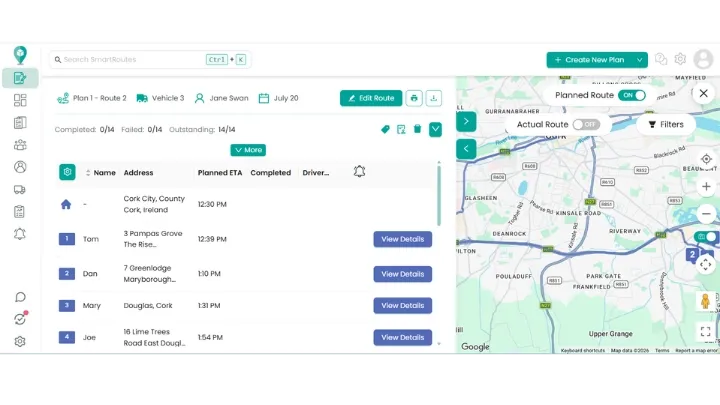
It works well for mid-sized and larger fleets that need to move away from spreadsheets and manual planning but still want straightforward setup and day‑to‑day use.
Key features
- Route optimization with time windows, capacities, and driver hours built in
- Driver app for live tracking, navigation, and proof of delivery (photos, signatures, barcodes)
- Automated SMS and email notifications with live tracking links and accurate ETAs
- Zones and territories for organizing routes by region or depot
- Reporting on distance, duration, on‑time rate, and first‑attempt success
SmartRoutes Rating & Reviews
SmartRoutes Route Planning Software
Streamline your entire delivery process, all from one platform

2. Route4Me: Best for Complex Multi-Stop Route Planning
Best for: Operations that need very configurable route construction, territories, recurring routes, and complex multi-stop constraints.
Why choose it: Strong configuration depth for teams that prioritise routing controls and operational flexibility.
Consider an alternative if: You need a simpler all-in-one delivery workflow with lower onboarding overhead and transparent pricing.
Trial & pricing: Pricing is quote-led, so confirm which routing, driver, tracking, and integration modules are included in the proposed package.
Route4Me is designed for teams that handle complex multi‑stop routes, such as regional distribution, service calls, or dense-urban delivery runs.
It suits operations that need to optimize large numbers of stops across multiple vehicles and want fine control over how those routes are built.
Key features
- Multi‑stop route optimization for large stop lists across multiple vehicles
- Support for recurring routes, territories, and route templates
- Options for driver mobile apps, live tracking, and basic proof of delivery on higher tiers
- Add‑ons for industry‑specific workflows and integrations via the marketplace
Route4Me Rating & Reviews
3. Tookan: Best Delivery Management Tool for Small and Growing Delivery Teams
Best for: Small and growing teams that manage a mix of scheduled deliveries, same-day jobs, pickups, and on-demand tasks.
Why choose it: Tookan is built around flexible task management rather than only pre-planned routes, making it useful for businesses that need to create, assign, and adapt delivery or field-service jobs throughout the day.
Consider an alternative if: Your operation mainly runs fixed, repeatable multi-stop routes and needs deep route-planning controls around driver hours, capacity, territories, and recurring schedules.
Trial & pricing: Plans start from $129/month. Check with Tookan for current trial or demo availability and confirm which extensions are required for your workflow.
Tookan is designed for small and growing delivery teams that want a flexible platform for managing pickups, deliveries, and on‑demand jobs.
It is a good fit for businesses that need a mix of scheduled and same‑day work, such as local couriers, groceries, or services.
What sets Tookan apart from most delivery platforms on this list is its task-based flexibility: instead of building only recurring routes, teams can configure one-off or on-demand jobs on the fly, which suits businesses mixing scheduled deliveries with ad hoc pickups.
Key features
- Job creation and assignment for deliveries, pickups, and field tasks
- Route planning and optimization to group stops efficiently
- Driver app with task lists, navigation, and basic proof of delivery
- A large third-party marketplace (payments, chat, custom workflows) that lets teams bolt on features without waiting for native development
- Support for hyperlocal and on-demand job types beyond scheduled routes, such as single-item pickup-and-drop tasks common in courier and quick-commerce work
Tookan Rating & Reviews
4. OptimoRoute: Best for analytics-driven delivery operations
Best for: Delivery and field-service operations that need detailed route rules, recurring work, multi-day planning, and performance reporting.
Why choose it: OptimoRoute is particularly strong where planners need to account for service times, skills, visit frequency, driver schedules, and route rules over a longer planning horizon rather than just optimise one day’s stops.
Consider an alternative if: You need a simpler, faster-to-configure all-in-one delivery platform with strong customer notifications, dispatch tools, and day-to-day operational workflow out of the box.
Trial & pricing: Pricing starts from $39 per driver per month for the Lite plan. Confirm the current trial option, proof-of-delivery availability, feature limits, and route constraints included in the plan you need.
OptimoRoute is built for businesses that want detailed control over routing plus strong analytics on how routes and drivers perform over time.
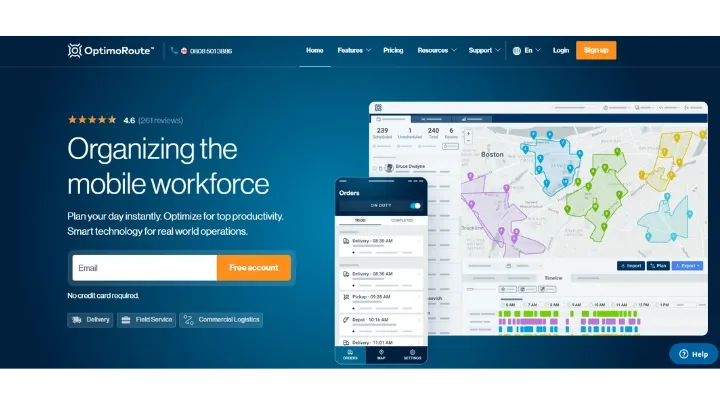
It suits operations that are ready to optimize around specific KPIs such as utilization, time on site, or service level agreements.
Key features
- Advanced route optimization with service time, skills, days, and visit frequency rules
- Support for recurring routes and multi‑day planning across long horizons
- Driver app with live updates and proof of delivery options
- Detailed reports on routes, driver performance, and on‑time delivery
OptimoRoute Rating & Reviews
5. Onfleet: Best Suited to High-Volume Last Mile Operations
Best for: High-volume last-mile teams, including eCommerce, grocery, parcel, and delivery operations with significant automation or integration requirements.
Why choose it: Onfleet combines dispatch, route assignment, driver task management, live customer tracking, notifications, proof of delivery, analytics, APIs, and integrations in a platform designed for more operationally complex delivery programmes.
Consider an alternative if: You are a small or mid-sized fleet looking for straightforward setup, transparent lower-cost pricing, and a delivery workflow that does not require a technical team to configure integrations and automation.
Trial & pricing: Plans start from $619/month for 2,500 tasks. Confirm the features, integrations, support, and task allowance included in the package you are evaluating.
Onfleet targets high‑volume delivery operations such as eCommerce, grocery, and parcel carriers that need a mature, API‑friendly platform built to scale.
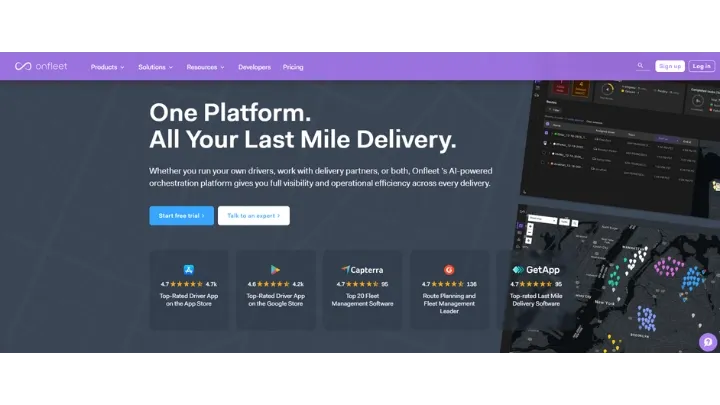
It suits teams that handle large daily order volumes and want strong automation and customer experience features.
Key features
- Powerful dispatch and route assignment tools with automation rules
- Driver app with real‑time tracking, task management, and proof of delivery
- Customer notifications with live tracking pages and accurate ETAs
- Robust API and integrations for eCommerce, POS, and order management systems
- Analytics on task volume, delivery times, and service levels
Onfleet Rating & Reviews
6. Routific: Best for low delivery volumes
Best for: Small and mid-sized delivery teams that prioritise simple route planning, practical manual edits, and a low-commitment starting point.
Why choose it: Routific stands out for its visual drag-and-drop route editing, allowing dispatchers to move stops between drivers and update ETAs quickly without having to rebuild the whole plan.
Consider an alternative if: You need a more comprehensive operational platform with advanced dispatch controls, broad integrations, multi-depot management, detailed proof workflows, or enterprise-level reporting.
Trial & pricing: A free tier is available for up to 200 orders per month; paid plans start from $150/month. Confirm which plans include the driver app, tracking, notifications, integrations, and proof-of-delivery features you need.
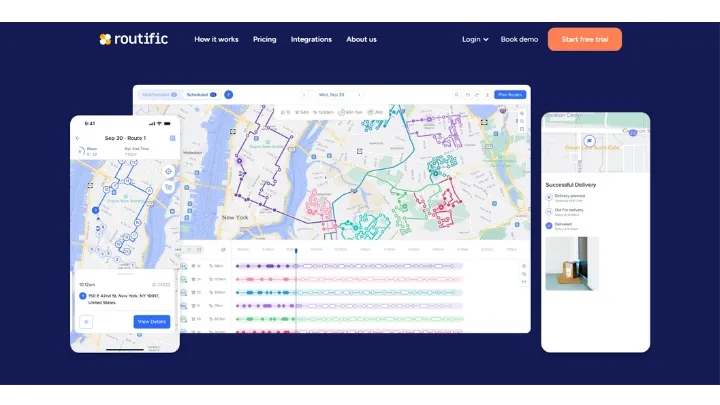
Routific stands out for its drag-and-drop route editing, letting dispatchers manually override optimized routes in seconds rather than re-running the algorithm, which matters for teams who need a human check on the machine's suggestions.
Key features
- Visual drag-and-drop route editing that updates ETAs instantly as stops are moved between drivers
- A genuinely usable free tier (up to 200 orders/month) rather than a time-limited trial, making it one of the few tools on this list businesses can run long-term at zero cost
- Higher-tier add-ons for driver app and live tracking, kept separate so small teams aren't forced to pay for features they don't need yet
Routific Rating & Reviews
7. Spoke: Best for fast setup and time-window delivery
Best for: Teams that need to get delivery routes running quickly, particularly where time-window delivery and straightforward stop import are important.
Why choose it: Spoke is designed for rapid set-up, with spreadsheet or manual stop import, route optimisation that accounts for time windows, live driver tracking, and basic customer updates.
Consider an alternative if: You need deep multi-depot logistics, warehouse scanning, complex courier financial workflows, or a highly configurable enterprise delivery-management system.
Trial & pricing: Pricing starts from $125/month for 1,000 stops. Confirm current trial or demo availability, driver-app functionality, customer-notification options, and the features included at your required stop volume.
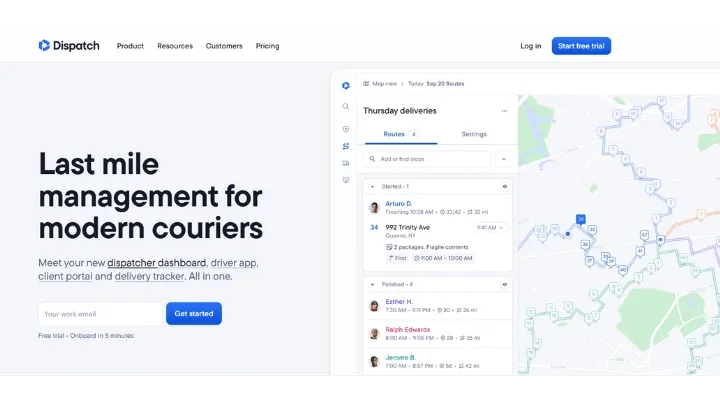
Spoke is designed for teams that need to get drivers routing quickly with minimal setup, particularly when customers request specific time windows for same‑day or next‑day deliveries.
Key features
- Fast import of stops via spreadsheet or manual entry
- Route optimization that respects delivery time windows
- Real‑time driver tracking and ETAs, with basic customer updates
Spoke Rating & Reviews
8. Stream: Best for multi-depot and complex logistics
Best for: Logistics teams with multiple depots, mixed fleets, delivery-and-collection work, loading requirements, or barcode-scanning processes.
Why choose it: Stream brings routing together with multi-depot planning, load management, barcode scanning, delivery slots, tracking, and customer notifications, which is useful where delivery operations begin before the vehicle leaves the depot.
Consider an alternative if: You operate a smaller single-depot fleet and mainly need simpler route planning, dispatch, driver tracking, and proof of delivery without the setup required for more complex logistics processes.
Trial & pricing: Pricing starts from $259/month for three vehicles and unlimited users. Contact Stream to arrange a demo and confirm the required setup, scanning workflow, integrations, and support.
Stream (Go2Stream) targets logistics operations with multiple depots, mixed fleets, or more complex delivery and collection patterns.
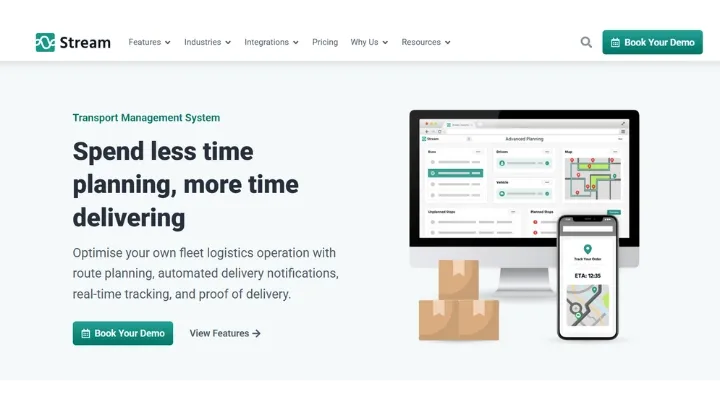
It suits businesses that need strong control over loading, depot flows, and scanning as well as route plans.
Key features
- Drag‑and‑drop route builder and auto‑planning for new orders
- Route optimization that factors in depots, time slots, and fleet availability
- Load planning, barcode scanning on/off vehicles, and support for multi‑depot operations
- Delivery slots, notifications, and tracking for customers
Stream Rating & Reviews
9. Scurri: Best for enterprise and scaling eCommerce retailers
Best for: Enterprise and scaling eCommerce retailers managing high parcel volumes, multiple carriers, fulfilment systems, and post-purchase customer communications.
Why choose it: Scurri is more focused on multi-carrier delivery orchestration than a typical route-planning platform, bringing together carrier selection, label generation, tracking, integrations, delivery communications, and carrier-performance analysis.
Consider an alternative if: You operate your own delivery fleet and primarily need to plan driver routes, dispatch work, capture proof of delivery, and monitor field execution rather than coordinate carrier networks.
Trial & pricing: Pricing is quote-based and typically aimed at higher-volume retail operations. Confirm carrier coverage, integrations, implementation scope, support, and volume-based commercial terms.
Scurri is a multi-carrier delivery management platform built for retailers shipping at scale.
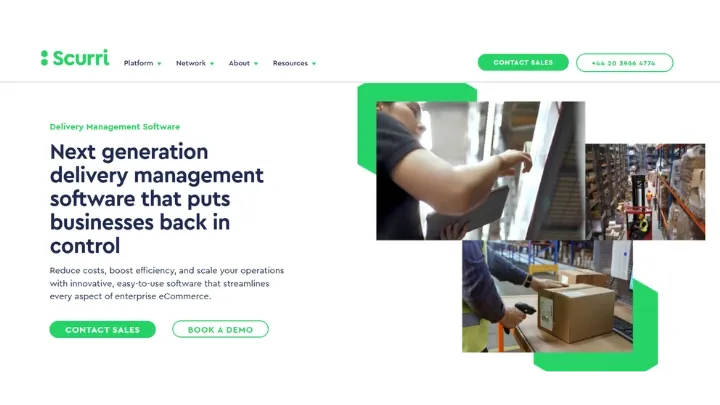
It connects every stage of the order-to-doorbell journey, from automated carrier selection at checkout through to post-purchase tracking communications, making it a strong fit for operations managing high parcel volumes across multiple carriers.
Key features
- Multi-carrier management with automated carrier selection using configurable business rules
- Carrier-approved label generation across global, regional, and local carriers
- Real-time parcel tracking with branded post-purchase communications via Scurri Track Plus
- Integrations with leading eCommerce platforms, WMS, and ERP systems
- Analytics and carrier cost reporting to identify savings and performance gaps
Scurri Rating & Reviews
10. Shipday: Best for restaurants and local food delivery
Best for: Restaurants, ghost kitchens, local grocery businesses, and smaller courier teams that need an affordable delivery workflow for pickup-to-drop jobs.
Why choose it: Shipday combines order dispatch, route optimisation, live GPS tracking, customer SMS updates, proof of delivery, and access to external DoorDash or Uber drivers where additional capacity is needed.
Consider an alternative if: You require advanced multi-stop planning controls, complex recurring-route management, deep enterprise integrations, or operational workflows beyond local food, retail, and courier delivery.
Trial & pricing: A free tier covers up to 300 orders per month; paid plans start from $29/month. Confirm the feature set at each tier, including tracking, notifications, proof, integrations, and external-driver options.
Shipday is a simple, affordable delivery management platform built for restaurants, ghost kitchens, grocery stores, and small local couriers.
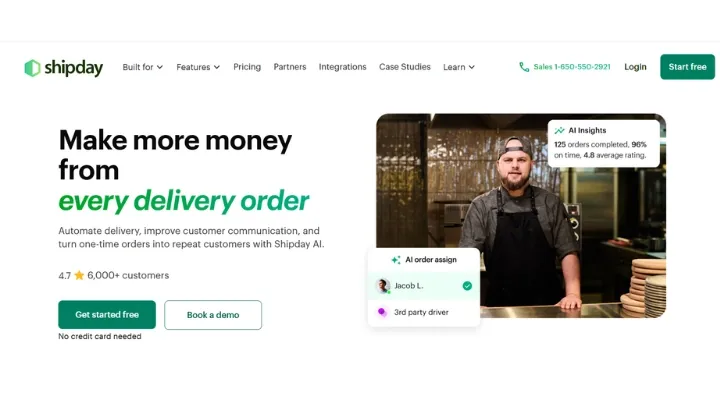
It supports a pickup-then-drop workflow and integrates with major restaurant management platforms, making it one of the easiest tools to get started with for food delivery operations.
Key features
- Auto-dispatch and route optimization for on-demand and scheduled orders
- Driver app with proof of delivery (photo and signature) and earnings tracking
- Live GPS tracking and SMS notifications for customers
- Integration with DoorDash and Uber drivers for overflow capacity
- Connections to restaurant platforms including GloriaFood, Toast, and Clover
Shipday Rating & Reviews
11. DispatchTrack: Best for appointment-based and high-value deliveries
Best for: Appointment-based, high-value, or more complex last-mile delivery operations such as furniture, appliances, building materials, and specialist retail.
Why choose it: DispatchTrack focuses on the full experience around scheduled delivery appointments, including route optimisation, customer communication, delivery visibility, proof of delivery, post-delivery feedback, and reporting.
Consider an alternative if: You run a smaller or lower-complexity delivery operation and need a quick, self-serve route-planning and dispatch tool rather than a more structured appointment-delivery platform.
Trial & pricing: Pricing is quote-based and typically requires a demo-led evaluation.
DispatchTrack is a last-mile delivery management platform built specifically for appointment-driven, high-value delivery operations (furniture, appliances, building materials, and specialty retail).
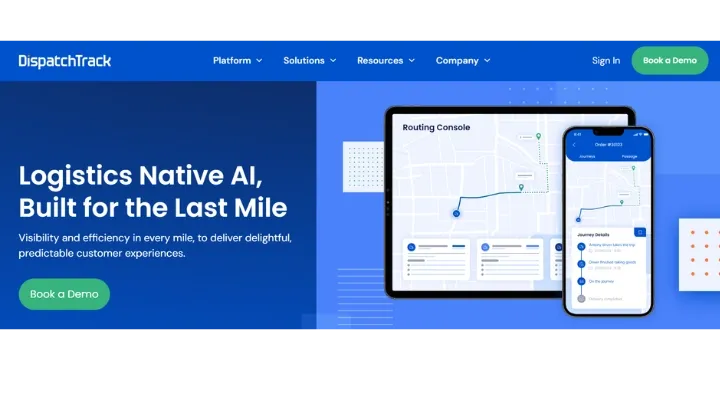
It covers the full last-mile workflow from scheduling and route optimization through to customer communication, proof of delivery, and post-delivery analytics.
Key features
- AI-powered route optimization with 98% accurate delivery ETAs
- Customer communication workflows with SMS and email alerts at key delivery stages
- Real-time last-mile visibility dashboard for dispatchers and managers
- Driver mobile app for proof of delivery (photos, signatures, notes)
- Post-delivery customer satisfaction surveys and NPS tracking
DispatchTrack Rating & Reviews
12. Onro: Best for courier companies and on-demand deliveries
Best for: Courier companies and on-demand delivery businesses that need branded customer portals, hub workflows, driver financial tools, and flexible delivery-status management.
Why choose it: Onro goes beyond standard delivery dispatch by including white-label customer and driver experiences, hub scanning, courier workflow support, cash-on-delivery management, driver wallets, invoicing, and multi-channel notifications.
Consider an alternative if: You primarily manage an in-house fleet running planned daily routes and do not need multi-merchant customer portals, hub operations, driver earnings, cash-on-delivery, or courier billing workflows.
Trial & pricing: A 14-day trial is available. Pricing starts from $239/month for 1,500 deliveries; confirm delivery allowances, white-label components, financial tools, hub-scanning needs, integrations, and enterprise pricing before committing.
Onro is an AI-powered courier management platform designed specifically for courier companies, whether they offer same-day, next-day, or on-demand delivery services.
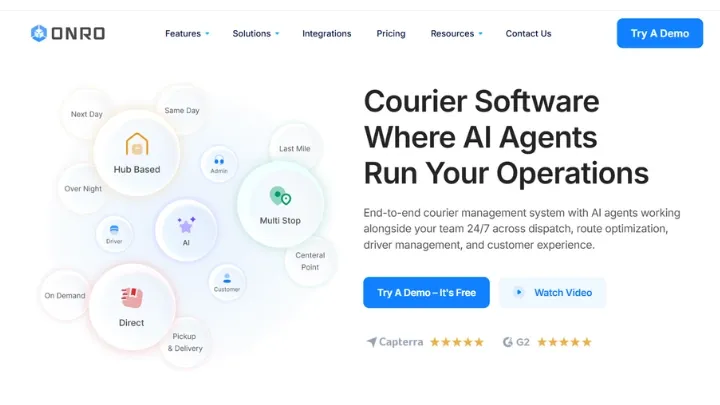
It goes beyond general delivery management software by including financial tools, white-label customer portals, and AI agents that support dispatch and routing around the clock.
Key features
- AI-powered dispatch, routing, and real-time customer experience automation
- White-label customer portal and driver app for branded courier operations
- Hub scanning and warehouse sorting tools for pickup-hub-delivery workflows
- Cash on delivery management, driver wallets, and invoicing
- Multi-channel customer notifications via SMS, WhatsApp, and email
Onro Rating & Reviews
Key Features of Delivery Management Software
When looking for the best delivery management system for your business, make sure to keep an eye out for these features:
Route Optimization
Route optimization calculates the most efficient sequence of stops for every vehicle so drivers cover fewer miles while hitting promised time windows, and it underpins any good route scheduling software.
By cutting unnecessary detours and idle time, fleets routinely reduce mileage and fuel spend by 10–30%, which lowers cost per delivery and emissions at the same time.
It also helps planners react quickly to changes such as last‑minute orders or traffic, updating routes without rebuilding the entire day from scratch.
Real-Time Tracking
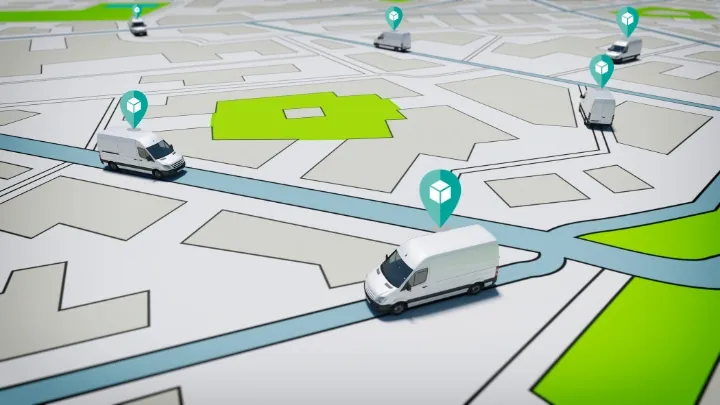
Real-time tracking shows where every driver and order is on a live map, giving operations teams and customers a single, accurate view of delivery progress.
Sharing live tracking links and ETAs reduces “where is my order?” calls and makes it easier to manage delays proactively instead of reacting after complaints arrive.
For customers, this visibility builds trust and leads to higher satisfaction and loyalty because they know exactly when to be ready for a delivery.
Dispatch and driver management
Dispatch tools let planners assign stops to the right driver in a few clicks, much like dedicated dispatch software for small business does, instead of manually building runs in spreadsheets or messaging apps.
They take into account capacity, skills, territories, and time windows so that routes are realistic and drivers are not overloaded or double‑booked.
With a connected driver app and solid delivery scheduling software, updates flow both ways in real time, allowing dispatchers to reshuffle work during the day without losing track of what has been completed.

Customer Notifications
Customer notifications keep people informed at key points in the delivery journey: order confirmed, out for delivery, delayed, and delivered.
Well‑timed SMS or email alerts make it more likely that customers are home during the agreed time window, which reduces missed deliveries and the cost of reattempts. This is critical for tight models like same‑day delivery.
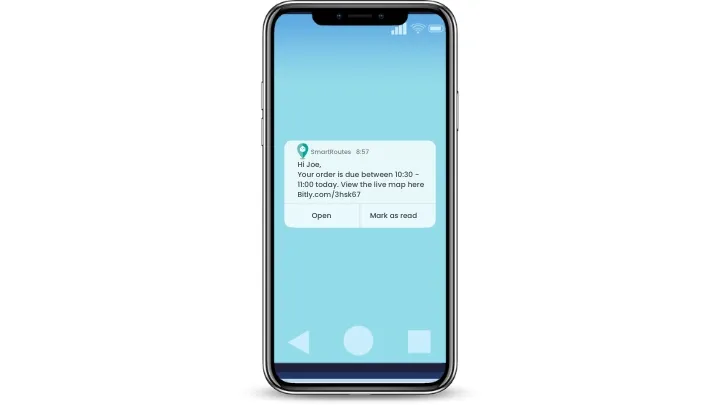
Clear updates also cut routine support contacts because customers can see what is happening with their order without needing to call for an update.
Proof of Delivery
Proof of delivery features capture signatures, photos, notes, and timestamps in a driver app so each stop has a clear digital record.
This makes it easier to resolve disputes about damaged or missing items and reduces the need for paper dockets, which is especially important in sectors like grocery delivery and cannabis delivery.
Operations teams can see instantly which orders were completed, which failed, and why, helping them spot recurring issues and improve first‑attempt success rates over time.
Reporting and Analytics
Reporting and analytics turn delivery data into dashboards and reports that show delivery performance over time, from on‑time rates and first‑attempt success to average cost per stop.
By tracking these metrics, managers can see which routes, regions, or customers are driving most of the cost and where small changes could have the biggest impact.
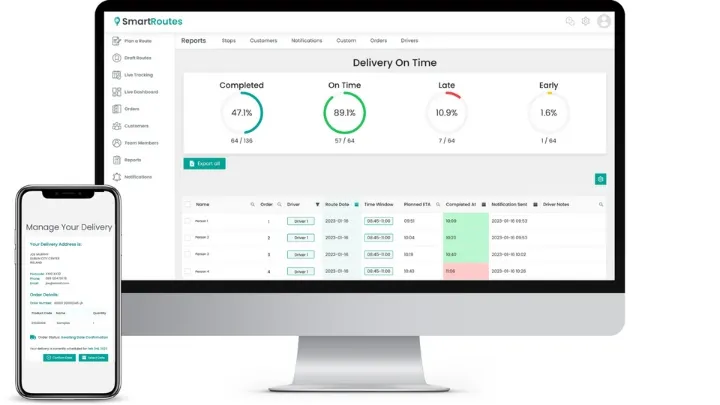
This insight also supports long‑term planning, helping teams decide when to add vehicles, change service areas, or adjust delivery promises so they stay profitable as volumes grow.
Delivery Models That Need Different Software
Delivery management software should match the way the business operates, not simply the number of drivers it employs. A growing retailer, an in-house fleet, a general courier business and a medical-delivery operator can all need route planning and dispatch, but their daily workflows and operational risks differ.
Building an in-house delivery operation
Businesses moving from 3PL to in-house delivery take on more responsibility for customer experience, delivery costs and operational performance. That means the software needs to support more than route sequencing: teams need to import orders, allocate drivers and vehicles, manage delivery areas, track progress, send proactive customer updates, and maintain accessible proof-of-delivery records.
Before bringing delivery in house, model the expected delivery volume, service area, fleet capacity, driver costs, failed-delivery process and customer-support workload. A platform that provides routing, dispatch, live tracking, notifications and reporting from one place gives teams more control as the operation grows.
Launching a delivery business
When learning how to start a delivery service, the operational model should shape the software shortlist from day one. Scheduled multi-drop delivery routes need tools for time windows, route capacity and recurring orders, while same-day work depends more heavily on fast job creation, live dispatch and driver reassignment.
New delivery businesses should also choose software that makes it easy to establish repeatable processes. Customer notifications, delivery notes, driver apps and proof of delivery help reduce avoidable calls, missed stops and manual administration as order volumes begin to increase.
Courier operations
Teams considering how to start a courier business usually need greater flexibility than a business running a fixed daily delivery route. Jobs may arrive throughout the day, drivers may need to collect as well as deliver, and dispatchers need to respond quickly to cancellations, urgent bookings and changing ETAs.
The most suitable courier software combines real-time driver visibility with fast dispatch, route updates, customer tracking and reliable delivery confirmation. It should also make it easy to review completed work, resolve disputes and understand which routes or service areas are profitable.
Medical courier requirements
For businesses exploring how to start a medical courier service, accuracy and traceability matter as much as speed. Medical deliveries can involve time-sensitive samples, prescriptions, equipment or documents, so teams need precise collection and delivery timestamps, clear status updates, route visibility and dependable proof of handover.
A suitable platform should support structured delivery instructions, delivery windows, driver communication and searchable records after completion. These controls help operators maintain a consistent chain of custody and give customers confidence that sensitive deliveries are handled correctly.
How to Choose the Best Delivery Management Software
Start with the part of your delivery operation that creates the most manual work, customer risk, or operational cost. If route planning is the main challenge, focus on how each platform handles time windows, capacities, driver hours, territories, and last-minute changes. If the problem is dispatch, customer visibility, delivery proof, or multi-depot control, prioritize those workflows instead.
Shortlist two or three platforms that fit your delivery model, then test them using a typical operating day. Use real delivery data where possible, including your drivers, time windows, delivery volumes, customer updates, proof of delivery requirements, and common exceptions such as a late order, cancellation, or driver absence.
Finally, compare the total cost of running one complete workflow, not just the advertised starting price. Check which plan includes driver access, live tracking, customer notifications, proof of delivery, integrations, onboarding, support, and data storage.
SmartRoutes: A Practical Choice for Delivery Management
SmartRoutes gives delivery teams one place to plan routes, dispatch jobs, track vehicles, message customers, and capture proof of delivery, so you are not juggling separate tools. Businesses typically see shorter routes, lower fuel spend, and less time spent on manual planning, which brings down cost per stop and helps teams handle more deliveries with the same fleet.
You can see how it works in your own operation with a 7‑day free trial that includes full access to routing, tracking, notifications, and reporting, with no credit card required.
FAQ: Best Delivery Management Software
1. What is delivery management software?
Delivery management software helps businesses plan routes, assign deliveries, track drivers, update customers, and capture proof of delivery. It brings routing, dispatch, driver apps, live tracking, notifications, and reporting into one system.
2. Is delivery management software different from route-planning software?
Yes. Route-planning software mainly creates efficient stop sequences. Delivery management software includes route planning but also covers dispatch, driver tracking, customer notifications, proof of delivery, delivery exceptions, and reporting.
3. How much does delivery management software cost?
Pricing can be per driver, vehicle, user, stop, task, or delivery, with some platforms offering flat monthly or custom enterprise pricing. Compare the total cost at your expected volume, including tracking, notifications, proof of delivery, integrations, onboarding, and support.
4. What should I test during a delivery software trial?
Test a typical delivery day using your real time windows, drivers, capacities, customer updates, and proof of delivery requirements. Also test a late order, cancellation, driver absence, and failed delivery to see whether everyone receives accurate updates.
5. Which delivery management software is best for mid-sized and larger fleets?
SmartRoutes is a strong option for mid-sized and larger fleets that need route planning, dispatch, tracking, customer notifications, proof of delivery, and reporting in one platform. Plans start from €29/month with unlimited drivers and a seven-day no-card trial.
If you enjoyed this blog, you might also be interested in:
 Caroline Hassett
 Michael Santry