
Quick Summary
- Dispatch software for small businesses brings route planning, job scheduling, GPS tracking, driver apps, and customer notifications into one platform so you can coordinate deliveries, courier work, field service jobs, or small fleet operations without spreadsheets and constant phone calls.
- The most useful tools for small teams combine route optimization, real-time vehicle tracking, a driver or technician mobile app, proof of delivery (signatures, photos, barcode scans), and reporting on routes, workloads, and costs.
- Pricing models differ by use case: delivery platforms like SmartRoutes typically charge per vehicle with entry plans around $30/vehicle/month, field service tools such as Jobber or Housecall Pro charge per user or per team, and high-volume last-mile platforms like Onfleet bill by monthly task volume starting around $599/month.
- Small teams with two to five drivers or technicians usually see the biggest gains from switching to dispatch software, replacing manual coordination with automated scheduling, live tracking, and customer notifications so they can take on more jobs without immediately increasing headcount.
Dispatch software for small business is the difference between a chaotic delivery day and one you can actually control.
Small teams rarely have a dedicated dispatcher, a spare vehicle, or room in the budget for a missed delivery, so the right tool has to do more with less: fewer staff hours, tighter margins, and often a mix of deliveries, courier runs, field service jobs, and trucking routes all in one operation.
This guide compares 14 of the best dispatch software options for small business in 2026, across the different ways small teams actually work.
Whether you're coordinating last-mile deliveries, dispatching field technicians, managing a small trucking fleet, or juggling all three, you'll find the right platform for your business.
Good delivery management ties routing, dispatch, tracking, and customer communication together in one system — in short, it's dispatch tracking software that covers the full job from planning to proof of delivery — and that's the standard we used to evaluate every tool on this list.
Below, you'll find each platform's core features, pricing model, and who it's best suited for, so you can match the software to your workflow instead of paying for capabilities you'll never use.
Best Dispatch Software for Small Business
Choosing the best dispatch scheduling software for small business comes down to matching the tool to your team's workflow.
#1 SmartRoutes
Best For: Small delivery and logistics teams that want simple dispatch management software with strong route planning, mobile apps, and customer satisfaction tools.
SmartRoutes is built for delivery and logistics teams that need to plan multi-stop routes, dispatch drivers, and keep customers informed without the setup complexity or cost of enterprise platforms.
The full workflow is covered in one place: build and optimize routes before the shift, dispatch drivers with navigation and job notes in the app, track live progress during the day, and capture proof of delivery at the door.
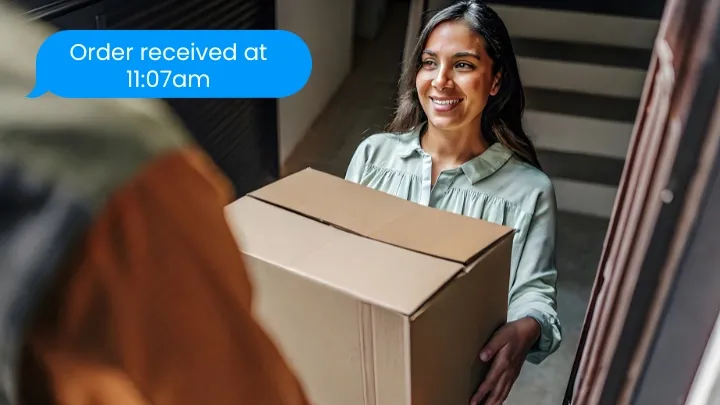
Customer ETAs go out automatically so your team is not fielding "where is my delivery?" calls all afternoon. Plans are priced per vehicle rather than per user, which keeps costs predictable for small teams.
Key Features
- Route optimization and schedule optimization for multi-stop deliveries
- GPS tracking with live ETA updates sent directly to customers
- Driver mobile app with turn-by-turn navigation, job notes, and status updates
- Electronic signature capture, barcode scanning, and proof of delivery
- Zone-based dispatching and territory management
Pricing
Entry pricing from $29/vehicle per month. 7 day free trial available
SmartRoutes Route Planning Software
Streamline your entire delivery process, all from one platform

#2 Onfleet
Best For: Delivery teams running consistent high volumes who need polished customer notifications and strong analytics.
Onfleet is a last-mile delivery management platform used by courier businesses, grocery, pharmacy, and e-commerce teams that run a high number of daily deliveries.
It prices by monthly task volume rather than vehicle count, which can work in favor of teams whose delivery numbers fluctuate significantly week to week. The driver app is polished and the customer notification system, which includes live tracking links and real-time ETAs, is one of the strongest available.
The platform is on the higher end of the pricing range and is better suited to teams running several hundred deliveries a month rather than very small operations.
Key Features
- Auto-dispatch based on driver location and capacity
- Route optimization with real-time tracking and ETA sharing
- Proof of delivery with photo and signature capture
- Analytics dashboard for fleet performance
- Barcode scanning and age verification on higher plans
Pricing
Starts at $619/month for up to 2,500 tasks
#3 Samsara
Best For: Businesses that prioritize fleet safety, driver compliance, and vehicle tracking, particularly those operating in regulated industries or managing 5 or more vehicles.
Samsara is a fleet management and dispatch tracking platform for businesses where vehicle visibility, driver safety, and compliance are the day-to-day priority.
It holds the number one spot in fleet management on G2 for multiple consecutive quarters and is a strong fit for businesses managing multiple vehicles across longer distances or in regulated industries.
Unlike delivery-first platforms, Samsara's strength is in dashcam footage, driver behavior scores, maintenance alerts, and ELD compliance rather than route optimization or last-mile dispatch. Worth noting for small businesses: the platform requires a 36-month minimum contract and upfront hardware costs per vehicle, so it is a bigger commitment than most tools in this list.
Key Features
- Live GPS tracking with near real-time location updates
- AI dashcams with driver coaching and incident detection
- ELD compliance and hours-of-service logging
- Geofencing and driver behavior reporting
- Fleet maintenance scheduling and alerts
Pricing
Pricing is by request only, typically enterprise-grade but depends on your operations size
#4 Onro
Best For: Small courier businesses, on-demand delivery teams, and food delivery operators who want a white-label platform with branded customer-facing apps.
Onro's delivery software for small businesses is built around the needs of small courier businesses, on-demand food delivery, and e-commerce teams that want a complete branded experience for their customers.
Where most dispatch tools provide a dispatcher interface and a driver app, Onro adds a white-label customer app too, so end customers can track their orders in real time under your business name. The dispatcher panel handles job creation, driver assignment, and live tracking, while the driver app covers navigation and delivery confirmation.
It is a well-priced option for small teams that want to look and operate like a larger delivery business without building their own technology stack.
Key Features
- White-label driver and customer mobile apps
- Dispatcher panel with job assignment and real-time tracking
- Customer portal for live delivery status
- Basic routing with resource allocation tools
- API and webhook support for integrations
Pricing
Starts at $239 per month for up to 1500 deliveries
#5 Verizon Connect
Best For: Businesses that need vehicle tracking, maintenance alerts, and compliance tools as their primary requirement rather than route optimization or delivery dispatch.
Verizon Connect is a fleet management and telematics platform suited to businesses where compliance, vehicle maintenance, and driver accountability take priority over delivery route planning.
It is one of the more established names in fleet tracking and integrates with Verizon's broader network infrastructure, which can be an advantage for businesses already in the Verizon ecosystem. That said, its dispatch and routing tools are less developed than platforms built specifically for delivery management.
Key Features
- GPS tracking and geofencing
- Driver behavior monitoring and compliance alerts
- Fleet maintenance scheduling and alerts
- ELD compliance tools
- Route replay and fleet reporting
Pricing
Higher-end pricing by request only
#6 Jobber
Best For: Field service businesses in HVAC, plumbing, electrical, landscaping, and similar trades that need scheduling, dispatch, and invoicing in one platform.
Jobber is the most widely used dispatch and job management platform for field service businesses. Plumbers, electricians, HVAC technicians, landscapers, and cleaning companies use it to manage the full job lifecycle: quoting a job, scheduling it, dispatching a technician, collecting payment, and following up with the customer.
The dispatch board gives office staff a real-time view of technician availability and location so jobs can be assigned and rescheduled without back-and-forth phone calls. It integrates with QuickBooks and connects with a range of industry-specific tools.
For a small field service team currently coordinating through texts, spreadsheets, or paper job cards, Jobber typically replaces several separate tools at once.
Key Features
- Job scheduling and calendar management with drag-and-drop dispatch board
- GPS tracking and real-time technician location (Connect plan and above)
- Automated customer notifications and two-way texting
- Quoting, invoicing, and payment processing built in
- QuickBooks integration and job costing tools
Pricing
$49/month for one user (Core plan)
#7 Housecall Pro
Best For: Home service businesses in HVAC, cleaning, plumbing, and pest control that need a dispatching board, customer notifications, and invoicing without the complexity of a larger field service platform.
Housecall Pro is a field service management platform built specifically for home service businesses. Its dispatching board gives office staff a live view of who is available, who is on a job, and who is nearby for the next call, with automated notifications going to customers as jobs are confirmed, started, and completed.
It covers the basics that matter most to small home service teams: booking, dispatch, invoicing, and payment in one app that both office and field staff can use. The platform integrates with QuickBooks for accounting and supports online customer self-booking, which reduces inbound calls.
Key Features
- Real-time dispatching board with technician availability view
- Automated job notifications and customer arrival reminders
- GPS tracking on Essentials plan and above
- QuickBooks integration for accounting sync
- Online booking and customer self-scheduling
Pricing
Pricing is determined by your business type and size.
#8 Route4Me
Best For: Growing fleets and small businesses with complex multi-stop routes that need highly configurable routing and dispatch across many drivers and vehicles.
Route4Me is a fleet route optimization and dispatch platform aimed at delivery, field service, and sales teams that need to build and manage large, complex multi-stop routes in one place.
It suits operations like regional distribution, dense urban delivery runs, and multi-day field service schedules where planners want to see all routes on a single map, drag and drop stops between drivers, and re-optimize quickly when things change.
A broad marketplace of add-ons and integrations makes Route4Me attractive for teams that want routing to sit at the center of a wider tech stack, connecting into ERP, CRM, and ecommerce systems.
Key Features
- Fleet route optimization for complex multi-stop routes across many drivers and vehicles.
- Dispatch and tracking tools with live driver location and route progress on a centralized map.
- Driver mobile app with GPS tracking, delivery status updates, and options for proof of delivery.
- Add-on marketplace for barcode scanning, route clustering, advanced analytics, and external system integrations.
- API access and integration options to connect routing and dispatch with ERP, CRM, and ecommerce platforms.
Pricing
Quote-based, per-user-per-month subscription model with no public pricing listed; most teams must contact sales for an exact package.
#9 Elite EXTRA
Best For: Small delivery and service teams that want advanced dispatch management with optimized routes, real-time ETAs, and strong integrations into existing business systems.
Elite EXTRA is a cloud-based routing and dispatch platform designed for last-mile logistics, service dispatch, and mixed fleets that need tighter control over daily operations.
Dispatchers can auto-route orders, assign deliveries by zone, communicate with drivers in real time, and monitor every vehicle on a single dashboard, while customers receive live ETAs and tracking links so they know exactly when to expect a delivery or service visit.
The platform also supports service calls, pickups, and returns, making it a good fit for small businesses that manage both deliveries and field work from one system.
Key Features
- Route optimization with auto-route and auto-suggest to build efficient delivery and service routes.
- Dispatch management tools for assigning jobs, managing zones, and running “headless” dispatch with minimal manual intervention.
- Real-time tracking with live ETAs, email and text alerts, and customer-facing tracking links on a map.
- Proof of delivery capture via electronic signatures and photos, plus barcode scanning and returns validation.
- Integrations with ERP, POS, and other business systems to centralize order data and fleet visibility in one platform.
Pricing
- Month-to-month subscription model with no long-term contracts, quoted directly by the vendor.
- Public review sites report starting pricing from around $24 per user per month, with a free trial available and costs increasing as you add advanced features or custom development.
#10 Maxoptra
Best For: Mid-sized delivery and logistics businesses, and field-service teams, that want dynamic route optimization, scheduling, and customer communication in one dispatch platform.
Maxoptra is a route optimization and delivery planning platform designed to help logistics and distribution businesses operate more efficiently while keeping customers informed at every step.
It focuses on generating efficient multi-drop routes that respect time windows, vehicle capacity, and load constraints, then adjusting those routes dynamically during the day as new orders and priorities come in.
Alongside delivery routing, Maxoptra also supports field service scheduling, giving dispatchers tools to allocate engineers, calculate accurate ETAs, and add urgent jobs to active routes without rebuilding the whole schedule from scratch.
Key Features
- Route optimization that generates efficient multi-drop routes using time windows, vehicle types, load capacity, and real-world conditions like traffic and roadworks.
- Route planning and scheduling tools that reduce mileage by up to 20% and improve fleet utilisation for mid-sized businesses.
- Driver mobile app for pushing jobs to drivers, tracking delivery progress in real time, and handling issues or changes on the road without paperwork.
- Electronic proof of delivery with signatures and photos stored against each job, cutting down on paperwork and admin time.
- Customer experience tools including proactive email and SMS notifications and web tracking, so customers can check their delivery status themselves.
- Reporting and analytics covering completed jobs, failed orders, time and distance metrics, driver shift utilisation, and cost performance.
Pricing
Starting pricing from around £35/vehicle per month on the Lite plan, with higher tiers such as Complete and Premium increasing functionality and per‑vehicle cost.
#11 ServiceTitan
Best For: Growing home service and trades businesses (HVAC, plumbing, electrical, etc.) that want full field service management with advanced dispatch, scheduling, and reporting.
ServiceTitan is a cloud-based field service management platform that brings scheduling, dispatch, call booking, job management, invoicing, and reporting into one system for residential and commercial service contractors.
Dispatchers work from an interactive dispatch board that shows technician status, locations, workloads, and unassigned jobs, making it easier to assign or reassign work, keep routes realistic, and respond quickly when urgent calls come in.
For teams with higher job volume, ServiceTitan’s Dispatch Pro uses machine learning to automatically match jobs to the best technicians based on skills, predicted job value, routing, and past performance, helping larger service businesses maximize revenue and efficiency from the dispatching process.
Key Features
- Interactive dispatch board for assigning and reassigning jobs, viewing technician status and workload, and managing daily schedules in real time.
- Route planning and schedule optimization to keep technicians on time, reduce wasted travel, and maintain clear arrival windows for customers.
- Integrated field service CRM covering customer records, work history, estimates, invoicing, and membership programs.
- Mobile app for technicians with job details, checklists, photos, and on-site estimates, keeping office and field teams in sync.
- Dispatch Pro automation that uses “Titan Intelligence” to auto-assign jobs based on skills, opportunity value, urgency, and routing constraints.
- Reporting and analytics across jobs, technician performance, revenue, and marketing, designed for data-driven service operations.
Pricing
Quote-based pricing with no public price list; plans are sold per technician and require a sales demo.
#12 GSMtasks
Best For: Small and mid-sized businesses that need to manage a mixed mobile workforce (drivers, couriers, technicians) and want simple, user-based dispatch, route optimization, and task tracking without heavy enterprise complexity.
GSMtasks is a delivery and field service management platform built to help teams plan daily tasks, optimize routes, and track mobile workers from a single dashboard.
Dispatchers can see all jobs on a map, assign or reassign tasks via drag-and-drop, and push updated routes straight to the driver app, giving a clear real-time view of what’s completed, what’s running late, and where every vehicle is.
The system is designed to cut fuel costs and boost efficiency by optimizing routes for each worker, while automatic SMS notifications and tracking links keep customers informed without extra phone calls.
Key Features
- Route and task optimization engine that calculates the fastest driving route for each mobile worker, reducing mileage and time on the road.
- Web-based dispatch dashboard with drag-and-drop task assignment, calendar views, and a full map overview of all jobs and routes.
- Mobile app for drivers and field staff showing task lists, optimized routes, digital documents, and client signature capture at completion.
- Real-time tracking of employees and vehicles, with status updates on tasks and automatic customer SMS notifications and tracking links.
- Analytics and reporting on time spent driving vs. working, mileage, task completion, and workforce productivity.
Pricing
Essential plan from €14 per user per month, with the Professional plan (including route optimization and white-label notifications) from €19 per user per month; 14-day free trial available.
#6 Motive
Best For: Trucking fleets and logistics operators that prioritize driver safety, ELD compliance, and vehicle health alongside basic dispatch and route management.
Motive (formerly KeepTruckin) is an AI-powered fleet operations platform built around compliance and safety for commercial trucking and mixed fleets.
It started as an electronic logging device (ELD) provider and has evolved into a full telematics suite covering GPS tracking, AI dashcams, asset monitoring, fuel spend, and driver coaching, making it a strong fit for fleets that need to satisfy regulatory requirements while keeping a close eye on driver behavior and vehicle health.
Motive’s fleet dispatch tools let managers assign loads, monitor delivery progress, and coordinate trucks on a live map, but the platform is best understood as a safety-and-compliance-first system with dispatch and routing capabilities built on top.
Key Features
- FMCSA-registered ELD and Hours of Service (HOS) workflows for U.S. and Canadian trucking regulations, handled via the Motive Driver mobile app.
- AI dashcams that detect unsafe driving behaviors (distracted driving, hard braking, tailgating, and more) with high accuracy and flag incidents for review.
- Real-time GPS tracking with vehicle location, health, and asset monitoring for trailers and non-powered equipment.
- Fleet dispatch software for organizing, assigning, and tracking loads, with tools to manage driver workflows and keep deliveries on time.
- Driver coaching and safety scoring, plus fuel and maintenance insights, to reduce risk and operating costs over time.
Pricing
Quote-based, per-vehicle monthly subscription; Motive does not publish a public rate card.
#14 OnTime 360
Best For: Small courier and delivery businesses that want an affordable, all‑in‑one delivery management and dispatch platform with flexible pricing and strong customization options.
OnTime 360 is a hosted courier and delivery management solution designed to cover the full dispatch workflow for small and mid-sized transportation businesses.
It brings together order entry, driver dispatch, GPS tracking, automatic notifications, billing, and reporting so teams can move off spreadsheets and manual phone calls and run their operation from one system.
Dispatchers can assign and track jobs in real time, customers get professional tracking portals and status updates, and drivers use the mobile app to receive new stops, capture proof of delivery, and keep the office updated without extra admin work.
Key Features
- Delivery management and dispatch tools covering order entry, job assignment, scheduling, and live tracking in one platform.
- Route optimization for multi‑stop runs, including delivery time windows and zone‑based routing for pricing and service areas.
- Customer web portal for self‑service order entry, tracking, and notifications, plus branded emails and SMS updates.
- Mobile driver app with turn‑by‑turn navigation, status updates, and proof of delivery via signatures, photos, and barcode scanning.
- Flexible integrations with accounting tools like QuickBooks, FreshBooks, and Xero, plus REST and SOAP APIs for custom workflows.
Pricing
Start plan from $99/month with unlimited users and customers, mobile apps, GPS tracking, and a basic customer portal.
Why dispatch tracking software matters for small businesses
Dispatch software helps match the right driver to the right job, with route optimization and schedule optimization built in. Real-time updates and GPS tracking mean you always know where your drivers are and when deliveries will arrive.
The benefits are clear:
- smoother resource allocation
- smarter load management
- and stronger customer relationships.
Even small teams see improvements when they move from manual planning to proper fleet route planning software. Delivery teams can cut missed deliveries in half just by using a mobile app with real-time insights and an interactive map display.
The difference is especially clear for businesses running more than two or three vehicles. Without fleet route optimization software, dispatchers are often manually sequencing stops and guessing at the best order, which leads to wasted miles and higher fuel spend.
Key Features to Look for in Dispatch Software
Whether you run a delivery team, a field service crew, or a mix of both, these are the features that make the biggest difference day to day.
Route optimization
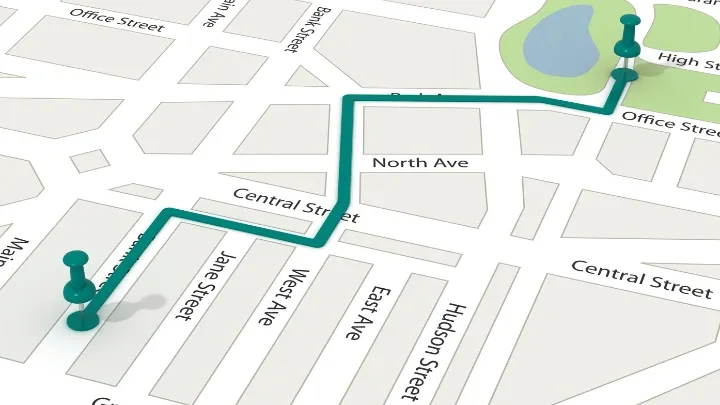
Route optimization calculates the fastest and most cost-efficient sequence of stops based on distance, traffic, time windows, and vehicle capacity. For a small business running a handful of deliveries or service calls each day, the gains are immediate: fewer miles driven, lower fuel costs, and more jobs completed in the same shift.
Good dispatch software can also re-optimize routes mid-day if a new stop is added or a driver falls behind, so the schedule stays workable right through the afternoon rather than falling apart by lunchtime.
GPS and real-time tracking
Live GPS tracking gives dispatchers a clear view of every vehicle and technician in the field. You can see when someone is running behind and update the customer before they pick up the phone.
For delivery teams, real-time tracking feeds into automated ETA links sent directly to customers, which cuts down on "where is my order?" calls and reduces the pressure on your office staff. For field service businesses, it helps dispatchers assign the nearest available technician to an urgent call.
Driver and technician mobile app
Field staff need a reliable mobile app to receive assignments, follow their schedule, and update job status without calling the office. A good app shows the full job list for the day, lets drivers or technicians mark work as complete, log notes, and flag issues as they happen.
For small teams, a straightforward app also shortens onboarding time when new staff join. The key thing to check is that the app works offline or in low-signal areas, since many delivery routes and service calls take place in spots with patchy coverage.
Schedule optimization and resource allocation
Schedule optimization considers driver availability, shift hours, vehicle capacity, and job priority to build a daily plan that makes the most of your team. This matters for small businesses where a single driver calling in sick or a vehicle going out of service can disrupt the whole day.
Well-planned schedules spread workloads fairly, reduce overtime, and allow you to take on more jobs without immediately hiring more staff. Good dispatch software prevents double-booking and balances the workload across your team automatically.
Reporting and performance data
Reporting tools turn daily operations data into information you can act on. You can see which routes consistently ran over the planned time, where delays tend to pile up, how many jobs each driver completed, and how fuel spend changes week to week.
For a small business owner with limited time, clear reporting means you do not need to dig through spreadsheets to spot what is going wrong. The software surfaces the patterns that matter so you can make a targeted fix rather than a general guess.
How to Choose Dispatching Software for Small Business
The right tool comes down to what your business actually does. Delivery and logistics teams need route optimization, proof of delivery, and automated customer notifications, that rules out field service platforms like Jobber and Housecall Pro, which are built around scheduling, quoting, and job management for trades businesses.
If vehicle compliance and dashcam footage are the priority, Samsara and Verizon Connect are more relevant, though both require longer contracts and upfront hardware costs. For small courier, on-demand, or eCommerce delivery teams, Onro offers a well-priced white-label option. For high-volume delivery operations, Onfleet is feature-rich but comes in at a higher price point.
For small delivery teams that want route planning, live driver tracking, proof of delivery, and customer notifications without paying enterprise prices or signing long contracts, SmartRoutes covers the full day in one platform. Plans start at $29 per vehicle per month with a 7-day free trial and no credit card required. Most teams are up and running within a day.
Frequently Asked Questions about Dispatch Software
1. What is dispatch software for small business?
Dispatch software for small business is a tool that manages how jobs, deliveries, or service calls get assigned to drivers or technicians. It handles route planning, job scheduling, GPS tracking, and customer notifications in one place, replacing the phone calls and spreadsheets that most small teams start out with. Depending on your industry, it can cover last-mile delivery, field service job management, or fleet tracking.
2. Do I need a driver app for a small fleet?
Yes. A driver app is one of the most practical parts of any dispatch setup for a small fleet. It gives drivers their schedule, turn-by-turn navigation, and a way to update job status without calling the office. For small teams especially, it removes a lot of the back-and-forth communication that slows the day down and lets you see exactly where each driver is and how the route is progressing in real time.
3. Will fleet routing software help with resource allocation and schedule optimization?
Yes. Delivery software for small businesses takes into account driver availability, shift hours, vehicle capacity, and job priority when building a daily schedule. This means workloads get spread more fairly across your team, urgent jobs get assigned to the nearest available driver or technician, and you avoid the double-booking and gaps that come with manual scheduling. Over time it also helps you see whether you have the right number of people on the road for your volume of work.
4. Is dispatch software suitable for small teams?
Yes. Dispatch software works well for small teams and in many cases makes the biggest difference at that stage. When you are coordinating two to five drivers or technicians, the manual workload of planning routes, sending updates, and tracking progress can take up a large part of the day. The right platform cuts down on that admin so small teams can take on more work without immediately needing to hire more staff.
5. How much does dispatch software cost for a small business?
Pricing varies depending on the type of platform and how it charges. Delivery-focused tools like SmartRoutes charge per vehicle per month, starting from $29. Field service platforms like Jobber and Housecall Pro charge per user or per team, starting from $39 and $59 per month respectively. High-volume delivery platforms like Onfleet price by monthly task volume, starting from $619 per month. For most small businesses running two to five vehicles or technicians, expect to pay between $30 and $200 per month depending on the features you need.
6. What is the difference between dispatch software and route planning software?
Route planning software focuses specifically on calculating the best sequence of stops for a driver. Dispatch software does that and more. It also handles job assignment, driver communication, customer notifications, and progress tracking throughout the day. Most modern platforms combine both, so the terms are often used interchangeably. If a tool only does routing, it will not give you visibility into what your drivers are doing once they leave the depot.
7. What is dispatch tracking software?
Dispatch tracking software combines job assignment with live GPS visibility, so dispatchers can see where every driver or technician is in real time while also managing route planning and customer notifications. Unlike standalone GPS trackers, it links location data directly to job status, so a delayed stop automatically updates the customer's ETA and the dispatcher's view of the day's schedule.
 Caroline Hassett