Reduce “where is my order?” calls
Share live tracking links and up-to-date ETAs so customers can check delivery progress themselves.


Route planning software takes the manual work out of building delivery schedules.
The result is shorter routes, fewer missed deliveries and less time spent planning each day.
Share live tracking links and up-to-date ETAs so customers can check delivery progress themselves.
Send the right message at the right stage of every delivery by SMS or email.
Send delivery confirmation with proof of delivery details once a stop is complete.
Delivery data and live route progress power every customer update.
Create SMS and email notifications for key moments in the delivery journey.
Dynamic ETAs and tracking links update as drivers make progress on the route.
Send delivery confirmation, including proof of delivery where needed.
See how SmartRoutes sends automatic SMS and email updates, live tracking, and proof of delivery - so customers always know where their order is.
Keep customers updated from the moment a route starts until a delivery is complete.
SmartRoutes combines automated notifications, live tracking, customer notes, and proof of delivery in one connected experience.
Send automated SMS and email notifications at the moments that matter, without adding manual work for your team. Keep customers updated when a route starts, when their delivery is on the way, and once it has been completed.
Give every customer the right update at the right time
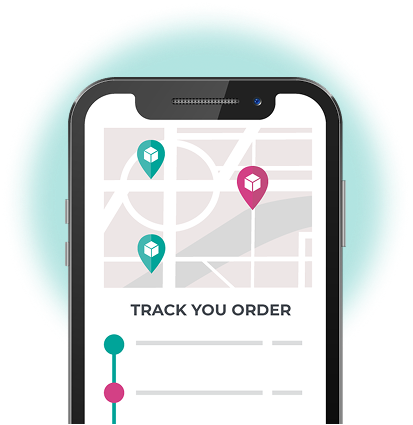
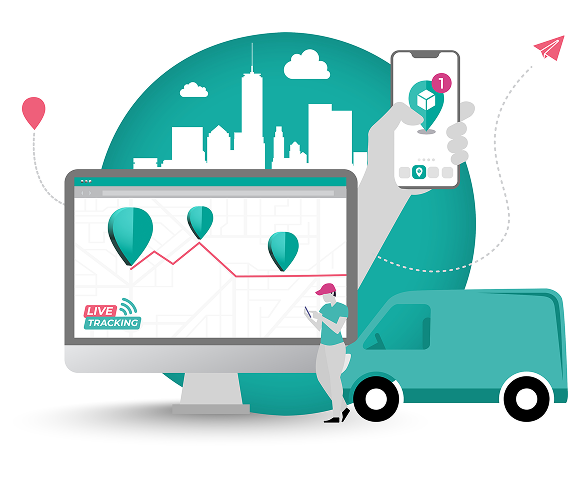
Send live tracking links so customers can see where their delivery is and when it is expected to arrive. Dynamic ETAs update as drivers progress through their routes, giving customers a clearer answer than “it’s on the way.”
Give customers a live view of every delivery

Let customers add delivery instructions through the tracking portal, so drivers have the information they need before they arrive. Customers can request a safe place, ask for an item to be left with a neighbor, or share other useful delivery notes.
Drivers arrive with the information they need
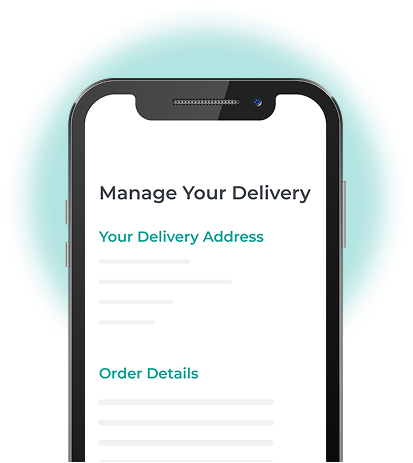
Send delivery confirmation as soon as a stop is complete, with proof of delivery included where needed. Customers and office teams can see exactly what happened, with a clear record to refer back to.
Clear delivery confirmation, without the follow-up calls

Make proof of delivery mandatory before a driver can complete a stop, so important records are not missed. As soon as proof is captured, it syncs with your office team, giving everyone the same up-to-date delivery information.

Accurate delivery information, shared the moment a stop is complete


Delivering over 90,000 newspapers a week requires our entire operations and logistic divisions to be on the same page. SmartRoutes gave us full visibility of every touch point from print production right up to end customer queries. Without their combination of software and service, this simply wouldn't be possible.
Fran W. - The Irish Times
SmartRoutes have been instrumental in structuring our delivery planning process. We now have more efficient delivery planning and better driver visibility. The whole delivery process is now more efficient both for our route planners and delivery drivers. Special thanks to Blake and the team for their quick and efficient customer support.
Brett L. - Outdoor Living
The SmartRoutes platform has provided us with an additional touch point for our customers via the text message with tracking information. We've received really positive feedback on the system both from our customers around being able to track their orders as well as from stores on the positive impact it's had on our fulfilment processes.
Caroline W. - SuperValu/Musgrave
Let customers choose their preferred delivery day before routes are planned.

Send instant mobile updates when routes, stops, or delivery instructions change.
Keep drivers and the back-office team connected with real-time in-app chat.

Track drivers and vehicles in real time from one live delivery map.
Scan items on and off the vehicle to verify every delivery step.

Create delivery zones and assign work automatically based on location.

Generate invoices from completed delivery runs directly inside SmartRoutes.

Manage routes, drivers, and delivery operations across multiple depots from one account.
Review delivery performance, missed stops, and on-time delivery trends over time.
Send live delivery updates,
accurate ETAs, and clear
confirmation from one platform.