Delivery
Zones

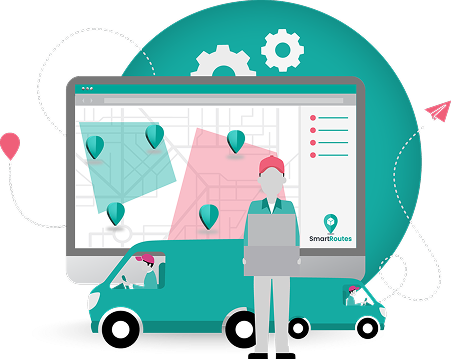
Draw custom zones on the map and assign deliveries by area, automatically.
  • No credit card required
  • 7 day free trial
  • Cancel anytime
  • Free trial available
  • No obligation to buy
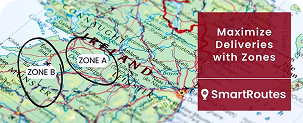
Delivery zones drawn on the SmartRoutes route planning map

Fewer wasted miles. Smarter scheduling.
More reliable delivery times.

Delivery zones help you plan smarter around geography, cutting wasted mileage, keeping
delivery windows realistic, and making better use of every vehicle on the road.

Fuel pump icon

Lower cost per delivery

Keep drivers within a defined area to cut backtracking and wasted miles.
Delivery checklist icon

More reliable delivery windows

Get more accurate delivery time estimates based on a zone's distance from the depot.
Delivery truck on upward arrow icon

Better use of every trip

Fit new orders into existing planned routes instead of scheduling separate trips.

How Delivery Zones Works

  1. 1
    Turn zones on in your SmartRoutes settings.
  2. 2
    Draw custom zone shapes, directly on the route planning map.
  3. 3
    Name each zone and assign a driver.
  4. 4
    Set zones to run all day, or only during specific hours like morning or afternoon peaks.
  5. 5
    Create zone groups for schedules that change such as different zones on weekdays vs. weekends.
  6. 6
    Routes are automatically assigned by zone going forward.

Plan smarter, by area

Delivery zones help you organize deliveries around geography, cutting wasted mileage, keeping delivery estimates realistic, and making it easier to plan around traffic and changing schedules.

Plan smarter, by area

Delivery zones help you organize deliveries around geography, cutting wasted mileage, keeping delivery estimates realistic, and making it easier to plan around traffic and changing schedules.

Draw zones that match how you actually deliver

Draw custom zone shapes directly on the map, not limited to fixed boundaries, and assign a driver to each so deliveries are automatically sorted by area.

  • Deliveries automatically sorted by area
  • Works alongside your existing routes
  • Simple to adjust as your area changes
  • Draw custom zone shapes on the map
  • Assign a vehicle to each zone
  • No fixed or preset boundaries
Magnifying glass over map icon

Zones that reflect your delivery area
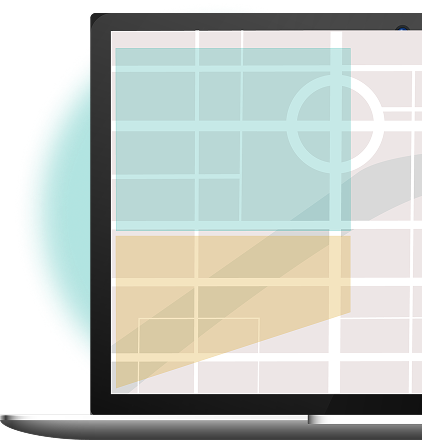
Custom delivery zones drawn on the route planning map

Cut wasted miles and reduce cost per delivery

Keeping drivers within a defined area reduces backtracking and unnecessary mileage, lowering fuel costs and cost per delivery across your fleet.
  • Reduces backtracking between stops
  • Cuts unnecessary mileage
  • Lowers fuel costs across your fleet
  • Keeps drivers concentrated by area
  • Improves cost per delivery
  • Supports more efficient route planning
Fuel savings icon

Fewer wasted miles, lower cost per delivery
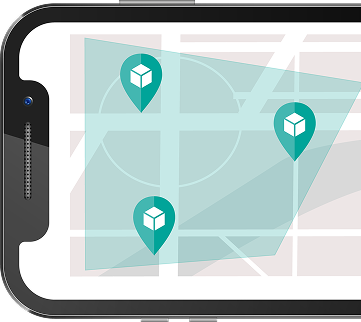
Delivery stops grouped inside a zone on mobile

Build realistic drive time into busy periods

Set zones to run all day or only during specific hours, like morning rush or afternoon peaks. During those windows, extra drive time is automatically built into your plans so ETAs and stop times stay realistic.
  • Set zones to specific time windows
  • Cover peak hours like morning or afternoon rush
  • Extra drive time built in automatically
  • More realistic ETAs during busy periods
  • Reduces late or missed delivery windows
  • Adjusts planning without manual changes
Clock and progress bar icon

ETAs that hold up, even during peak traffic
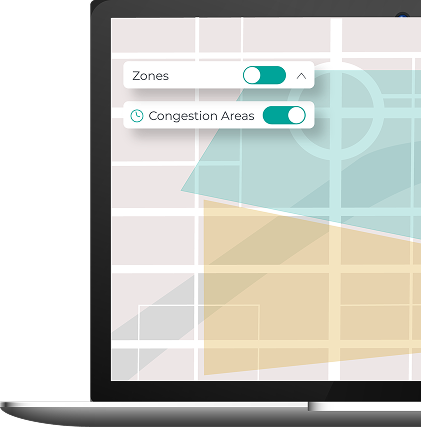
Zones and congestion areas toggles on the planning map

Give customers a delivery time they can rely on

Categorizing zones by their distance from the depot gives a clearer sense of how long deliveries take in each area, so you can promise more accurate delivery windows with confidence.
  • Zones categorized by proximity to depot
  • More precise delivery time estimates
  • Consistent timeframes per zone
  • Supports accurate customer promises
  • Builds trust through dependable service
  • Works alongside dynamic ETAs
Delivery checklist icon

More dependable delivery promises, area by area
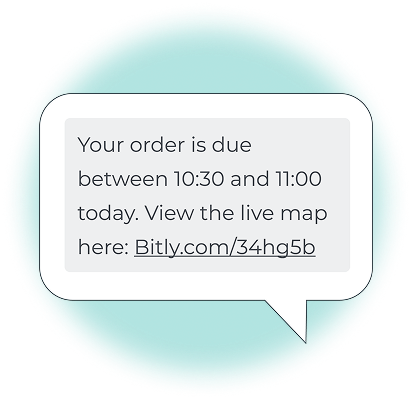
Customer SMS with delivery time window and live map link

Plan deliveries by area, on the days that make sense for your business

Set up different zones for different days, so deliveries to a given area only go out when a vehicle's already scheduled to be there. If a new order comes in for an area already on the day's route, it can be added straight in, making the most of every trip instead of scheduling a separate one.
  • Set different zones for different days
  • Group deliveries by area and schedule
  • Fit new orders into existing planned trips
  • Reduce one-off, single-destination runs
  • Better use of vehicle capacity per trip
  • Easy to adjust as schedules change
Route branching arrows icon

Turn a new order into an easy add on, not an extra trip
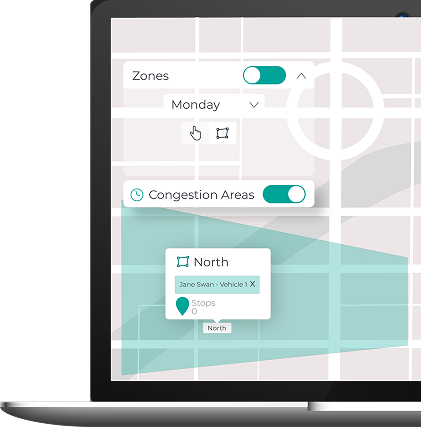
Day-based zone settings with driver assigned to a zone

What delivery teams say about
SmartRoutes

Full visibility of every touch point

Delivering over 90,000 newspapers a week requires our entire operations and logistic divisions to be on the same page. SmartRoutes gave us full visibility of every touch point from print production right up to end customer queries. Without their combination of software and service, this simply wouldn't be possible.

Fran W. - The Irish Times
Quick and efficient customer support

SmartRoutes have been instrumental in structuring our delivery planning process. We now have more efficient delivery planning and better driver visibility. The whole delivery process is now more efficient both for our route planners and delivery drivers. Special thanks to Blake and the team for their quick and efficient customer support.

Brett L. - Outdoor Living
Improved our operational efficiency

The SmartRoutes platform has provided us with an additional touch point for our customers via the text message with tracking information. We've received really positive feedback on the system both from our customers around being able to track their orders as well as from stores on the positive impact it's had on our fulfilment processes.

Caroline W. - SuperValu/Musgrave
More features

Route planning and optimization icon

Route Planning and Optimization

Build multi stop routes that factor in time windows, driver breaks and vehicle capacity.

Multi-depot management icon

Multi-depot Management

Manage zones, routes and drivers across multiple depots from a single account.
Recurring routes icon

Recurring and Scheduled Routes

Set up regular routes and schedules that repeat automatically each week.

Delivery fleet tracking icon

Delivery Fleet Tracking

Track every driver and vehicle in real time from one live dashboard.

Vehicle checks icon

Vehicle Checks and Driver Questionnaires

Set up vehicle checks and driver forms that drivers complete before starting a route.

Customer booking portal icon

Customer Booking Portal

Send customers a link where they can choose their preferred delivery day.

Operational digest icon

Operational Digest

Daily and weekly reports highlighting route performance, missed stops and key trends.

Driver push notifications icon

Driver Push Notifications

Drivers receive instant mobile notifications when routes or instructions change.

Customer invoicing icon

Customer Invoicing

Generate invoices from completed delivery runs directly inside SmartRoutes.
Plan smarter, by area.
Deliver on time, every time.

Start free trial
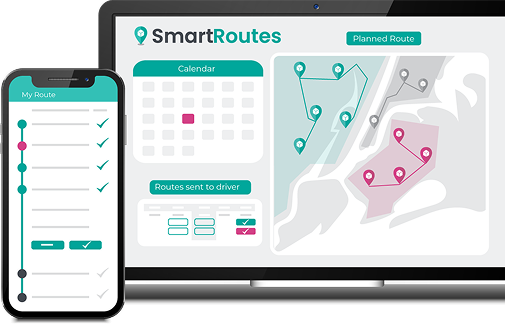
SmartRoutes dashboard on laptop and driver app on mobile

Useful resources

Frequently asked questions

Delivery zones are custom areas you draw directly on the map, letting you assign drivers and organize deliveries automatically by location rather than manually sorting stops.
Yes. Zones can run all day or only during set hours, such as morning or afternoon peaks, with extra drive time automatically factored in during those windows.
Yes. Zone groups let you set up different zones for different days, which is useful for businesses that deliver to specific areas on specific days each week.
Yes. Categorizing zones by their distance from the depot gives more accurate timeframes per area, helping you provide more reliable delivery windows to customers.