
Quick Summary
- Struggling with inefficient coverage and drivers crisscrossing the city? Delivery zones help you group stops smarter so routes are tighter, faster, and cheaper to run.
- Learn how to create delivery zones using driver home bases, load balancing, customer density, traffic patterns, and time windows so every route is realistic and fair.
- Cut backtracking and wasted miles by assigning orders to clear territories, so drivers stay within their zone instead of zigzagging between distant areas.
- Use zones to set accurate ETAs and tailored notifications by area, making it easier to manage customer expectations and keep “where is my order?” calls down.
Understanding delivery zones is crucial in the world of efficient delivery operations. These specific areas on a map play a huge role in how orders are managed by routing software. These strategically drawn lines can make sure everything works smoothly for businesses offering home delivery.
In this blog we’re going to take a look at how you can create delivery zones, what criteria you can add to them to make them even more efficient plus the benefits of adding zones to your delivery planning process.
What is a Delivery Zone?
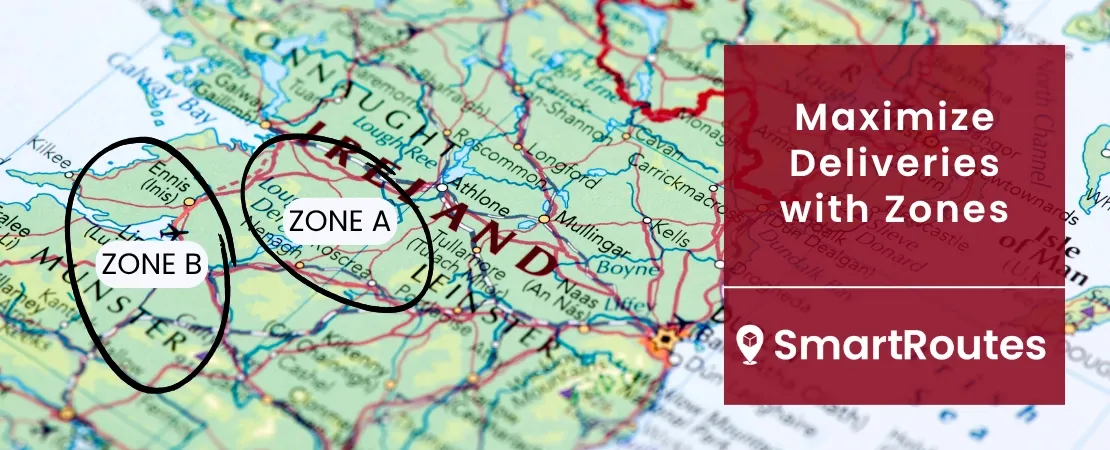
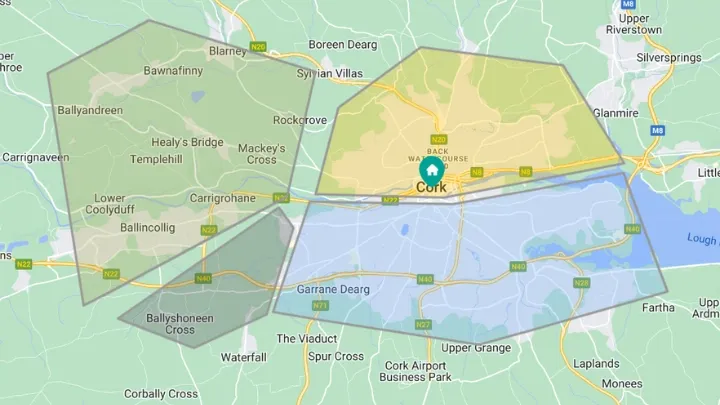
A delivery zone is a geographic section marked on a map, serving as a pre-defined area within routing software. These zones are like virtual borders, carefully designated to optimize the management of incoming orders.
When businesses input orders into their route planning software, whether it's done manually, through spreadsheet uploads, or seamless integration, these delivery zones come into play. They act as a guiding system, automatically assigning orders to their respective pre-set zones based on their locations falling within these marked areas on the map.
SmartRoutes Route Planning Software
Streamline your entire delivery process, all from one platform

What Criteria Can You Use When Creating Zones?
When you're putting together these delivery zones, there are a few things you'd want to keep in mind:
Driver Allocation
The goal is to place each driver in a zone that's not just familiar but strategically located, minimizing unnecessary mileage. When a driver's assigned zone aligns closely with where they start their route, it significantly cuts down on travel time. By ensuring their zone is within this proximity, it reduces driving back-and-forth across the city and streamlines their day for maximum efficiency.
Load Balancing
You can opt to enable load balancing on your routing software to ensure drivers are handling a fair load of orders and that their shifts start and end around the same time. This way, they get their required breaks while still ensuring that every package gets delivered on time. It's about juggling the workload to keep everyone in sync.
Scheduled Delivery
By organizing zones based on certain dates it acts as is allows businesses to plan deliveries according to different schedules or demands. This approach offers flexibility and helps in managing resources effectively. For instance, you might have certain areas or zones dedicated to specific days of the week, streamlining the overall delivery process and adapting to varying demands throughout the week.
Driver Preferences
Beyond just territories, it's crucial to consider drivers' preferences. Some drivers might excel in handling certain types of areas or routes—urban versus suburban, for example. Taking their strengths into account when assigning zones ensures not just familiarity but efficiency, maximizing their strengths for smoother operations.
Customer Density and Demand
When crafting these zones, it's beneficial to consider the density of customers in an area and their demand patterns. High-density zones might require more frequent deliveries or larger delivery teams to manage the volume effectively. Understanding these customer clusters helps in optimizing routes and resources.
Traffic Patterns and Time Windows
Taking into account traffic flow and specific time windows for deliveries greatly impacts zone design. Mapping out zones considering peak traffic hours or setting delivery windows aligning with customer preferences ensures timely and efficient deliveries. It's like choreographing the routes to avoid rush hour bottlenecks.
Geographical Features and Special Conditions
Different zones might have distinct geographical features or special conditions. For instance, rural areas might have longer distances between stops, while urban zones might have more complex navigation due to dense buildings or restricted access. Adapting zones based on these features ensures tailored approaches for smoother deliveries in varied terrains or conditions.
How to Create Delivery Zones
Creating delivery zones in your routing software is straightforward once you follow a simple, repeatable process. The goal is to draw clear boundaries around areas you want individual drivers or routes to cover, and then apply consistent rules to each zone.
- Turn on zones in your settings
Start by enabling geographical zones in your route planning settings so they are available on your map view. - Open your route planning map
Next, go to your route planning screen and open an existing or draft plan to access the full map interface. This is where you’ll draw and visualize the territories you want each driver or route to cover. - Draw your first zone on the map
Use the zone drawing tool to click around the area you want to cover and create a closed shape on the map. Think of this like tracing the boundary of a neighborhood or postcode cluster that makes sense as a single territory. - Name the zone and assign a driver
Once the shape is complete, give the zone a clear, descriptive name (for example, “North City AM” or “Zone 3 - Suburbs”) and allocate one or more drivers or vehicles to it. Clear naming conventions make it much easier to manage and report on performance later. - Repeat for each territory you serve
Continue drawing additional zones until your entire service area is covered, avoiding overlaps where possible so each address clearly belongs to one zone. At this point you will have a clean map of territories that align with your capacity, delivery windows, and service promises. - Group zones for different days or scenarios
Many businesses operate different patterns on weekdays versus weekends or peak seasons. SmartRoutes lets you create zone groups, so you can quickly switch between sets of zones depending on the day or delivery strategy you are using. For example, you might group “North” and “South” zones for weekdays and “East” and “West” for weekends. - Use zones when planning routes
When you are ready to plan routes, simply select the relevant zone or zone group and let the route planner build optimized routes within those boundaries. This ensures each driver stays in their assigned territory, reduces backtracking, and keeps your delivery promises consistent from day to day.
Benefits of Using Delivery Zones in Delivery Planning
1. Cost Reduction
Implementing delivery zones allows carriers and delivery services to adopt a more strategic pricing model. By setting flat-rate charges that align with the proximity of each zone to the depot, they streamline their pricing structure.
This segmentation of delivery areas into zones serves as a cost-efficient tactic, as it encourages consolidating deliveries that are geographically closer.
The impact is substantial: by grouping deliveries within these designated zones, there's a tangible reduction in operational costs. This method greatly diminishes the need for extensive and fuel-consuming long-haul trips between drops scattered across far-reaching areas.
Instead, it encourages a more concentrated and efficient delivery approach, where multiple deliveries are clustered together within close proximity. This not only saves on fuel costs but also optimizes the overall delivery process, making it more economically viable for carriers and ultimately reducing their operational expenses.
2. Managing Customer Expectations
The role of delivery zones in managing customer expectations is crucial for a seamless and transparent delivery experience.
By categorizing delivery zones based on their proximity to the depot, businesses gain a finer understanding of the timeframes required for deliveries within each zone. This precision translates into more accurate estimations of when packages will reach their destinations.
For customers, this means receiving notifications that are tailored to their specific zone, providing them with realistic and precise arrival times.
For instance, those closer to the depot might receive notifications indicating quicker delivery times, while those in farther zones might expect a slightly longer but still specific delivery window.
This level of specificity in notifications helps to manage customers’ expectations by having a clearer idea of when to expect their deliveries, enhancing satisfaction and trust in the delivery service.
3. Eliminating Backtracking
Without assigning delivery zones in the route planning process, drivers might zigzag across various areas on different days, resulting in unnecessary overlapping routes and repeated coverage of the same areas within a short time frame.
However, with the implementation of delivery zones, the routing systems become smarter. They dynamically consolidate deliveries within the same geographic area and timeframe.
The software groups deliveries within the same zone, ensuring that drivers won’t have to repeatedly crisscross between areas they'll soon revisit. This automation optimizes the routes by bundling deliveries that are in close proximity or within the same geographic region.
As a result, drivers efficiently cover these designated areas in a consolidated and organized manner, minimizing unnecessary overlapping trips and backtracking.
This approach not only saves time and resources but also maximizes efficiency by ensuring that drivers navigate through an area once within a specific timeframe, reducing redundant travel and optimizing their schedules. The same principle is central to route optimization for solid waste collection, where recurring collection rounds need to minimize unnecessary mileage and overlap between vehicles.
4. Accelerated Deliveries
When businesses leverage delivery zones, they unlock a key to speedier deliveries. The optimized grouping of deliveries within specific areas allows for more direct and efficient routes.
Drivers navigate through these zones with streamlined precision, cutting down on unnecessary detours or zigzagging across the city.
This optimized grouping leads to quicker turnarounds. Drivers can cover multiple deliveries within the same area in a more consolidated and systematic manner. It's like they're following a well-planned roadmap, minimizing delays and optimizing their schedules to ensure prompt deliveries.
For customers, this translates into more dependable services. With optimized routes and streamlined operations, businesses can confidently promise swifter delivery times.
5. Reduced Travel Distance and Improved Workload Balance
Efficient management of territories within delivery zones goes a long way in balancing driver workloads and optimizing their travel distances, ultimately boosting overall efficiency and driver satisfaction.
By confining their deliveries to these designated areas, unnecessary travel between far-off drop-off points is significantly minimized. This means drivers aren't crisscrossing the city unnecessarily; they're focused on efficiently navigating within their defined zones.
This strategic approach not only reduces the overall travel distance but also works wonders in balancing their workloads. Drivers are empowered to manage their deliveries more efficiently, covering multiple drop-offs within a confined area in a more organized and systematic manner.
Reducing travel distance doesn't just mean fewer miles on the road; it means more productive hours for drivers. They spend less time commuting between distant points and more time fulfilling deliveries within a more condensed and manageable territory.

Delivery Zones and eCommerce stores
When your eCommerce store integrates with SmartRoutes (view SmartRoutes integrations), as soon as orders are placed through your online store, they are swiftly sent to the platform and automatically assigned to specific routes and their corresponding delivery zones.
This integration is a game-changer, cutting down significant time and effort. You no longer need to manually upload order information; delivery software takes charge of the entire process for you. Orders are swiftly processed and seamlessly allocated to designated routes based on the predefined criteria you've set.
This integration streamlines the entire order-to-route assignment process, leaving you with more time to focus on other aspects of your business. With SmartRoutes taking care of route creation based on your defined parameters, the entire delivery process becomes not just automated but finely tuned to match your specific needs.
Use SmartRoutes to Divide your Deliveries into Zones
Unlocking the power of delivery zones is pivotal for streamlining and enhancing delivery operations. Seamlessly integrate SmartRoutes' zone feature into your system by signing up for our 7-day free trial.
Witness firsthand the remarkable efficiency and precision that strategic zone allocation brings to your delivery processes. Don't miss out on the opportunity to revolutionize your delivery operations with delivery zones.
FAQ
1. How do delivery zones benefit businesses?
Delivery zones benefit businesses by optimizing the allocation of orders, reducing delivery times, and cutting operational costs. They allow for strategic route planning, minimizing unnecessary travel distances and improving overall delivery efficiency.
2. Can I customize delivery zones based on specific criteria for my business?
Absolutely! SmartRoutes provides the flexibility to customize delivery zones based on your business's unique criteria. You can tailor zones according to factors such as driver allocation, customer density, and proximity to depots to best suit your operational needs.
3. What happens if a customer is located on the border of two zones?
In such cases, our system intelligently assigns the order to the zone that offers the most efficient route. The decision takes into consideration factors like distance, traffic conditions, and delivery schedules to ensure optimal service.
4. Can I send notifications for each delivery zone separately?
Yes, SmartRoutes allows businesses to send separate and customized notifications for each delivery zone. This feature ensures that customers in different areas receive accurate and tailored estimated arrival times, enhancing the overall customer experience.
If you enjoyed this blog, you might also be interested in:
 Caroline Hassett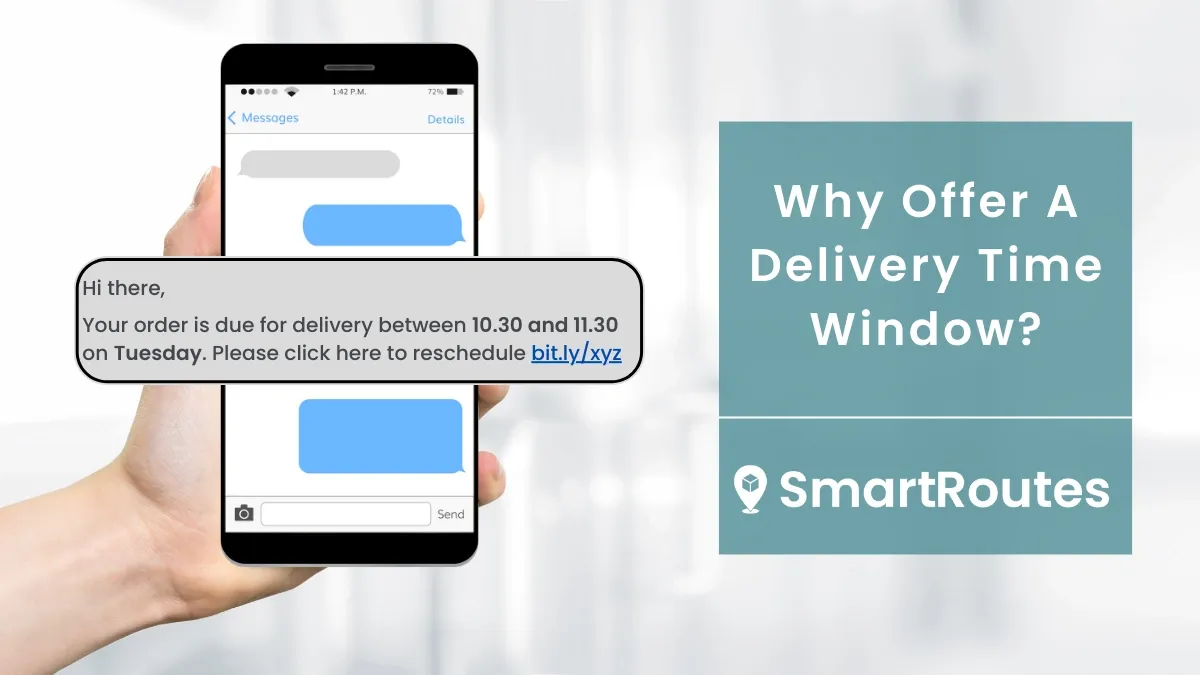
 Caroline Hassett