
Use this free proof of delivery template to record every drop‑off with clear signatures and delivery details for your customers and drivers. Download the template in PDF or Google Docs with no sign‑up required and start using it on your next delivery run.
Download POD Template

What’s inside this proof of delivery template
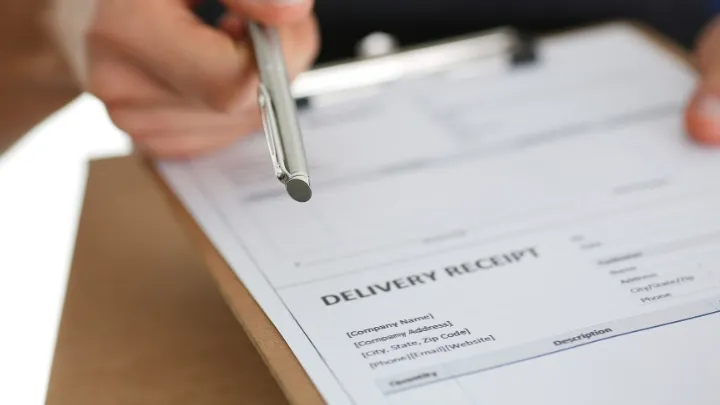
The template includes fields for:
- Customer name and address
- Order number and delivery date
- List of items delivered
- Driver name and notes
- Signature fields for driver and customer
- Time of delivery and any comments
This gives you a simple written record you can refer back to if there’s ever a question about a delivery.
How to use this template (step‑by‑step)
How to use this proof of delivery template
- Download the template: Choose the PDF version (best for printing) or open the Google Docs version and save your own copy.
- Fill in delivery details: Add the customer name, address, order number, and delivery date before the driver leaves.
- List the items: Add the products or parcels being delivered, including quantities or IDs if needed.
- Print your copies: Print enough copies for each route or delivery run so drivers have the form with them.
- Capture the delivery: At the doorstep, ask the customer to review the items and sign in the signature box.
- Store the record: File completed PODs by date, route, or customer so you can find them quickly if a dispute comes up.
- (Optional) Digitize your records: Scan or photograph completed forms and save them in a shared folder so your office team can access them.
What is Proof of Delivery?
Proof of delivery (POD) is a record confirming that a delivery has been completed, typically captured using a delivery signature form or other documentation. This record helps both businesses and customers in several ways:
For the Business
- Record of deliveries: Proof of delivery acts as a record for each completed drop‑off, showing what was delivered and when. This supports tracking, audits, and performance reviews.
- Evidence in case of disputes: When questions arise about whether an order arrived or what condition it was in, POD provides documentation that can help resolve the issue and protect your team.
- Accountability: POD helps you hold delivery staff accountable for each stop on a route, so you can check that deliveries match what was planned.
For the Customer
- Reporting issues with the order: Customers can use proof of delivery to report damages, incorrect items, or missing parts. Having a signed record makes it easier for both sides to sort out problems.
- Verifying delivery location: POD is useful when the recipient is not present. It can show whether a parcel was left in a safe place, with a neighbour, or returned to a depot.
- Record keeping: Customers have a record of deliveries, which is useful for high‑value or time‑sensitive items.
Types of Proof of Delivery
Paper POD:
The traditional method uses pen and paper, typically on a clipboard. The order details are pre‑filled or completed by the driver, and the customer signs the document on delivery. The downsides include:
- Office teams cannot view PODs in real time
- Reviewing paper PODs during a dispute can take time
- Paper documents can be damaged or lost
- Harder to support contactless delivery
Digital POD:
Digital POD options make it faster to find delivery records when questions come up. Examples include:
- eSignature: customers sign on the driver’s device, with order information filled in automatically
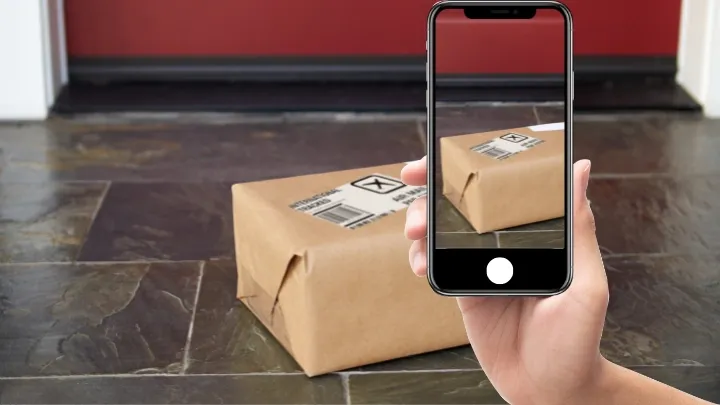
- Photo: drivers take one or more photos that are stored with the delivery record
- Scanning: scanning parcels on and off the vehicle as a delivery trail
- Geotag: the app records location and time for each stop
From Paper Forms to Digital POD
Paper proof of delivery works at the start, but it comes with familiar problems: lost forms, slow searches during disputes, and no easy way to see what happened on a route. As delivery volumes grow, these small issues add up for your drivers and office team.
Digital POD allows drivers to capture signatures, photos, and delivery notes in an app, and each record is stored against the stop. When a customer calls with a question, your team can open the delivery, see the signature or photo, and respond in minutes instead of digging through folders.
SmartRoutes routing software gives drivers a mobile app to record proof of delivery on their phones using signatures, photos, scans, and geotags. All PODs are stored in the cloud, so your office can pull up proof for any order without waiting for paperwork to come back. Get started with SmartRoutes by signing up for free today.
FAQ
1. What is proof of delivery (POD) and why is it important?
Proof of delivery (POD) is a record confirming that a delivery has been completed successfully. It is important because it provides documented evidence that the delivery was made, helping to resolve disputes, improve delivery accuracy, and enhance customer satisfaction by offering transparency and accountability.
2. How can I create a proof of delivery template for my business?
Creating a proof of delivery template for your business is relatively simple. You can use software like Microsoft Word or Excel to design a template that includes essential details such as seller information, order details, delivery address, billing information, date and time of delivery, and recipient signature. Alternatively, there are online tools and templates available that you can customize to fit your specific requirements.
3. What information should be included in a proof of delivery template?
A comprehensive proof of delivery template typically includes seller information (company name, contact details), order information (reference or order number, item descriptions, quantities), delivery address, billing information, date and time of delivery, and recipient signature. Including these details ensures that all relevant information is captured accurately and can be used to verify the completion of the delivery.
If you enjoyed this blog, you might also be interested in:
 Michael Santry
 Caroline Hassett